Universal URL Encoder Decoder: The Ultimate Guide to Safe Links
Discover how a universal url encoder decoder ensures your web links are safe, secure, and properly formatted. Learn the theory of percent encoding today!
🟥 The Complete Guide to Using a Universal URL Encoder Decoder
Every single time you browse the internet, share a social media post, or build a complex web application, you depend entirely on web addresses. Uniform Resource Locators (URLs) serve as the absolute coordinates of the internet. However, web browsers and backend servers are incredibly strict about how these addresses are formatted. If you try to send a link that contains a simple blank space or a special punctuation mark, the entire link will break, resulting in a frustrating 404 error page. To fix this specific issue, smart developers rely on a secure Universal URL Encoder Decoder to safely translate readable text into computer-safe web formats.

🟧 How the Universal URL Encoder Decoder Fixes Broken Links
To understand exactly why links break so easily, we need to look back at how the internet was originally designed. The early architects of the web decided that URLs could only be transmitted over the internet using the standard ASCII character set. This specific rule means that basic English letters and numbers are perfectly safe, but things like emojis, foreign language characters, and blank spaces are completely invalid.
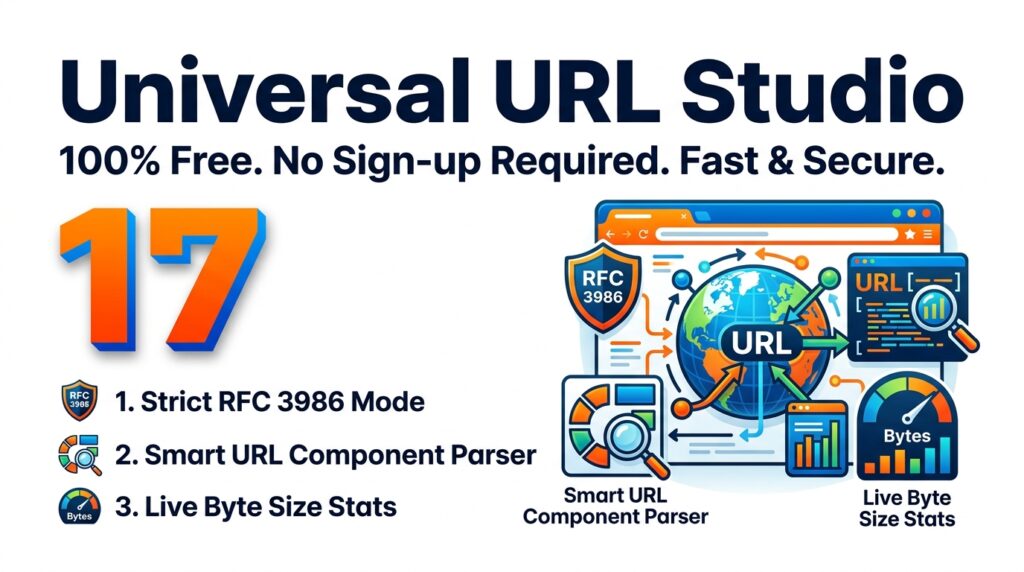
When your web link contains any of these invalid characters, it must go through a mathematical process called percent-encoding. You can read the official engineering rules for this process in the IETF RFC 3986 documentation. A high-quality Universal URL Encoder Decoder functions as an instant digital translator. It takes your unsafe human text and converts it into a format that the browser actually understands without crashing.
For example, if you type a normal blank space into a Universal URL Encoder Decoder, it instantly becomes %20. It looks messy to a human eye, but to a database server, it is a perfectly clean and safe command. Any time you pass data through an API endpoint or submit a search form, you must format the data using a Universal URL Encoder Decoder to prevent critical application errors.
🟦 Why Privacy Demands an Offline Universal URL Encoder Decoder
A major mistake that amateur programmers make is using random online websites to fix their broken links. Web addresses often contain highly sensitive personal information, like private API access keys, user email addresses, and direct database queries. If you copy and paste those private links into a server-based encoding tool, you are handing your private security keys directly to a complete stranger. You can learn more about safely handling web data in the Mozilla Developer Network encoding guide.
To completely solve this dangerous privacy flaw, an elite Universal URL Encoder Decoder is built to run 100% offline using client-side JavaScript processing. This modern architecture means that the mathematical conversion happens locally inside your own web browser’s memory. Zero data is ever uploaded to external cloud servers. Whether you are working with one single link or validating thousands of URLs at once, a client-side Universal URL Encoder Decoder ensures your secret tokens remain entirely private on your personal machine.
🟢 Defending Against Malicious Links
Beyond formatting, a Universal URL Encoder Decoder is a vital tool for cybersecurity analysis. Hackers and internet scammers love to hide malicious websites behind heavily encoded text. A link that looks like a jumbled mess of percent signs might actually be pointing to a fake banking login page or a harmful software download. Before you ever click on a highly suspicious link sent to your email, you should copy it and paste it into a safe Universal URL Encoder Decoder. The tool will instantly untangle the hexadecimal characters and reveal the true, readable destination. This simple habit can protect your network from severe phishing attacks.
🟪 Expanding Your Local Developer Toolkit
Using a fast, offline Universal URL Encoder Decoder is the best way to clean up your web addresses. But smart engineering requires a complete set of local utilities. If you need to sanitize raw HTML code blocks instead of just web addresses, you should process your text through our HTML Entity Encoder Decoder to stop layout rendering bugs.
Also, if your clean links are pointing to secure database records, you must guarantee those records have impossible-to-guess identities. You can generate those secure identities instantly using our client-side UUID GUID Generator Validator Tool.
By keeping a secure Universal URL Encoder Decoder saved in your browser bookmarks, you guarantee your web applications will run perfectly, your social media links will never break, and your private data will stay exactly where it belongs.
“Throughout my 15 years teaching ICT in Sri Lanka, I have watched so many students break their entire web applications simply because they pasted a URL with a blank space or a weird symbol directly into their code. I also noticed developers pasting highly sensitive API links into random online decoders, which is a massive privacy risk. That exact problem motivated me to build this Universal URL Encoder Decoder—a totally free, completely offline workspace that fixes your broken links instantly without ever sending your private data to an external server.”