How to Analyze Text for SEO — Readability Scores
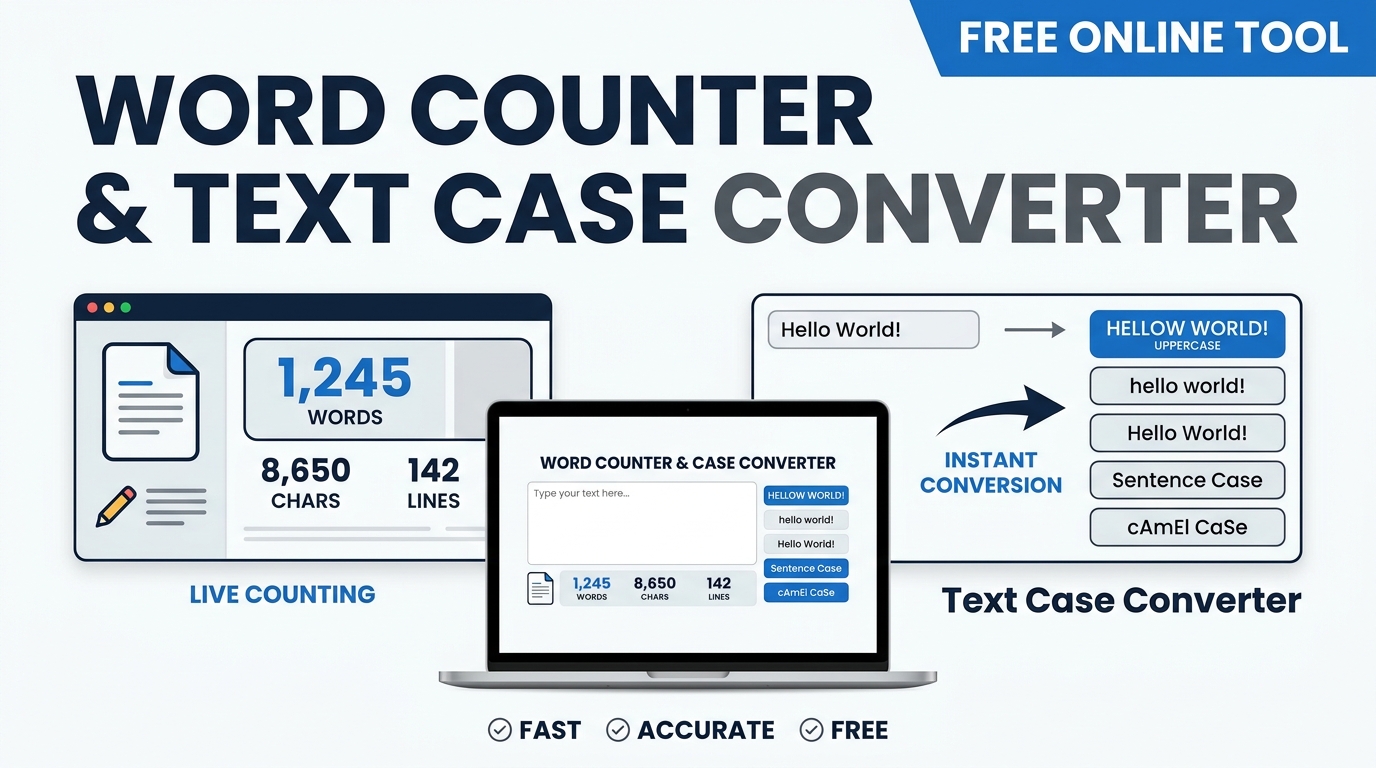
Writing content that ranks requires more than picking the right topic. Sentence length, syllable count, keyword frequency, title character count, and meta description quality all influence search performance. This guide covers the technical side of Text Case Converter — the formulas, the thresholds, and the browser tools that make it practical without a subscription.
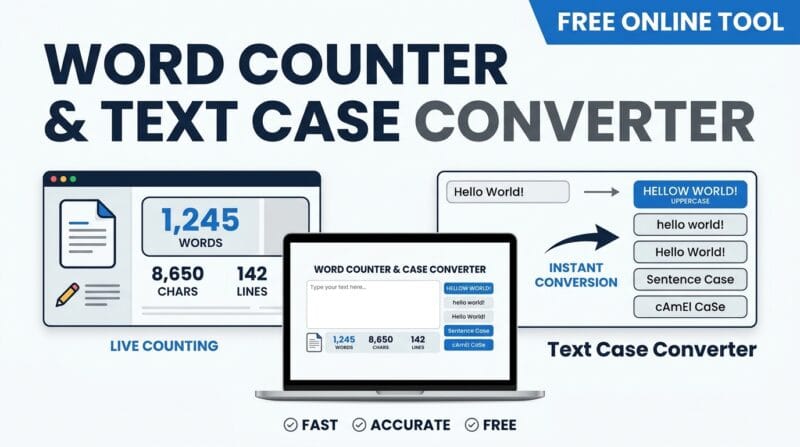
Table of Contents
Last updated: June 2026
🔴 What Text SEO Analysis Actually Measures
SEO content analysis is not about counting keywords and hitting a percentage. It is about measuring whether your writing communicates clearly, answers a specific question, and presents information in a format search engines can extract and display. Three variables dominate text-level SEO: readability (can users understand the content without effort?), keyword relevance (does the content clearly address the topic?), and snippet quality (does the title and meta description make users want to click?). Improving all three simultaneously without sacrificing natural writing is the actual challenge — and it requires measuring your text before and after edits, not guessing.
Browser-based text analysis tools like our Ultimate Text & SEO Studio calculate all of these metrics locally without sending your content to a server. For content creators working on drafts, client material, or competitive research, keeping analysis local is a meaningful privacy advantage over subscription-based SEO tools that store your content on remote infrastructure.

🟡 The Flesch Reading Ease Formula — What Each Variable Controls
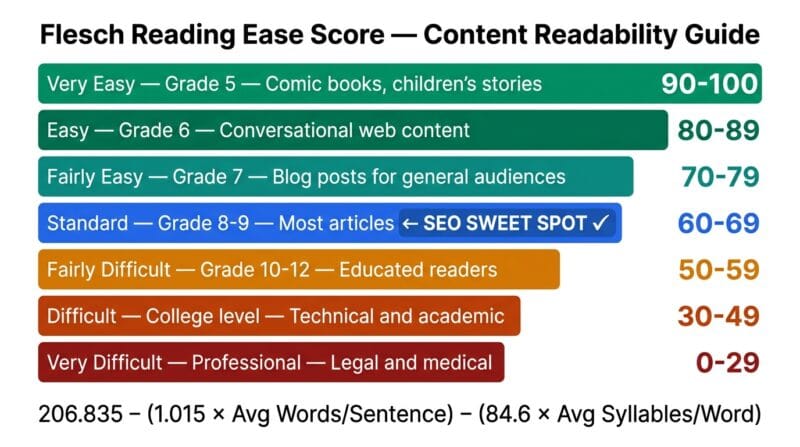
The Flesch Reading Ease formula: 206.835 − (1.015 × ASL) − (84.6 × ASW) where ASL is Average Sentence Length in words and ASW is Average Syllables per Word. The two penalty terms work differently. The sentence length term (ASL × 1.015) penalises long sentences — a sentence with 30 words versus 15 words drops your score by roughly 15 points on its own. The syllable term (ASW × 84.6) penalises complex vocabulary — using “utilise” instead of “use” adds a syllable per word and costs you points across the whole document. The coefficient 84.6 is much larger than 1.015, which means word complexity has a stronger effect on readability than sentence length. Writing in shorter words matters more than writing in shorter sentences.
Syllable counting is the hardest part of the formula to implement accurately in a browser. This tool uses vowel cluster estimation — counting consecutive vowel groups per word as syllable units — which produces results within 5–10% of manual syllable counts for most standard English text. The estimation handles silent-e endings and common vowel pair patterns but may diverge on unusual proper nouns, technical terms, and acronyms. For a 1000-word article, these estimation errors average out and produce reliable relative comparisons between drafts even if the absolute score varies slightly from a professional readability tool.
🟢 Readability Targets by Content Type
Target Flesch scores vary significantly by content type and audience. Blog posts and how-to guides aimed at a general audience should target 60–70 — the reading level of a 13-to-15-year-old, which is standard for consumer-facing web content. News articles typically score 50–60. Technical documentation aimed at developers or engineers can legitimately score 40–50 without being poorly written — the audience expects precise terminology and complex structure. Marketing landing pages and product descriptions benefit from scores above 70, favouring short punchy sentences and simple vocabulary that converts scanners into readers. Legal and medical content genuinely requires a lower score because precision demands specific terminology that naturally adds syllables. Don’t force-simplify content where technical accuracy requires complexity — improve what you can without distorting meaning.
🟢 Modern Keyword Density — Stop Counting, Start Covering
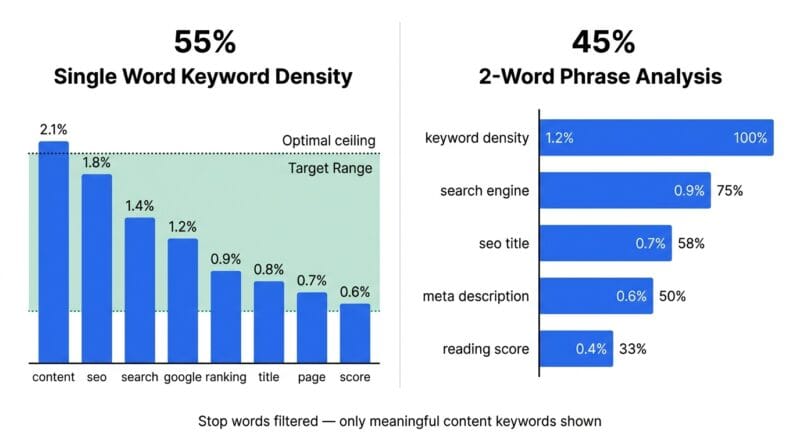
The shift in Google’s algorithm from exact-match keyword counting to semantic topic coverage means keyword density is less directly actionable than it was in 2015. A page about “best headphones for running” that uses the phrase exactly 8 times in 800 words is not better optimised than one that uses it 3 times but also covers related concepts — wireless, sweat-resistant, ear hook design, sound isolation, battery life. Latent semantic analysis and Google’s neural BERT and MUM models understand topical relationships, not just string matches. Use the keyword density analysis to verify your primary topic appears consistently — not to hit a specific number. If your primary keyword appears 0 times, add it naturally. If it appears 12 times in 500 words (2.4%), you’re likely over-optimised and should vary the phrasing.
🟡 Google Snippet Optimisation — Title and Meta Description Best Practices
Google measures title display width in pixels, not characters. At the default sans-serif rendering in Chrome, a title of 580 pixels wide — approximately 55–60 characters — displays fully on desktop. On mobile, the container is narrower and titles truncate at around 50 characters in some layouts. The 50–60 character target is a reliable practical guide that works across the majority of result placements. When Google rewrites your title (which it does for roughly 60% of pages according to various studies), it typically pulls text from your H1 or the first strong heading on the page. Keeping your title, H1, and primary keyword phrase consistent gives the algorithm the best chance of displaying your intended title.
Meta descriptions don’t directly affect ranking — Google has confirmed this since 2009. Their value is entirely in click-through rate (CTR). A compelling meta description that includes the target keyword (which Google bolds in the snippet), addresses the user’s intent directly, and creates curiosity or urgency improves CTR. Higher CTR from high-rank positions sends a positive signal about page quality. The optimal length for meta descriptions is 120–155 characters — enough to make a complete argument in two short sentences. Under 100 characters and you’re wasting available space. Over 165 and Google truncates with an ellipsis at an unpredictable word boundary. Use the live character counter in the SEO tab to stay in the green zone while you draft.
🟢 Case Conversion in Developer and SEO Workflows
Case converters solve a specific workflow problem: you have text in one format that needs to be in another without retyping. Title case is the most frequently needed for SEO work — converting a casually typed headline like “how to fix your WordPress speed score in 2026” to “How to Fix Your WordPress Speed Score in 2026.” The title case algorithm here skips small words (a, an, the, and, but, or, for, nor, at, by, in, of, up) when they’re not the first word — matching the Associated Press style guide convention.
For developers, the → URL Slug converter is the most practical button in the Transform tab. WordPress automatically generates slugs from post titles, but the algorithm it uses differs from what many SEOs prefer — it keeps certain stop words and doesn’t always strip special characters cleanly. Generating your own slug with this tool, then pasting it into the WordPress URL field before publishing, gives you full control over the URL structure without plugin dependencies. Combine this with the Find & Replace to batch-convert a list of article titles to slugs by pasting all titles, using a regex replace, then applying the slug converter.
🟡 Encoding, Unicode, and Typography — Professional Text Handling
Text encoding issues cause subtle bugs that are hard to diagnose. A non-breaking space (U+00A0) looks identical to a regular space but breaks word wrapping, causes string comparison failures in JavaScript, and sometimes renders incorrectly in email clients. The Whitespace Visualizer in the Chars tab replaces spaces with visible · dots, tabs with → arrows, and newlines with ↵ symbols — making every invisible character immediately visible. The Unicode Inspector shows the exact code point for each character, identifying problematic invisible characters like zero-width spaces (U+200B), right-to-left marks (U+200F), and soft hyphens (U+00AD) that can cause display or parsing problems when copy-pasted from PDFs or Word documents.
Typography fixers address a set of problems that Word processors create and HTML publishing exposes. Smart quotes — curly " and " versus straight " — matter for professional publishing. Many CMS platforms and email clients strip or corrupt curly quotes from HTML, but for contexts where they render correctly (WordPress posts, PDF exports), they significantly improve typographic quality. The em dash converter handles the most common case: writers who type double-hyphen -- as a dash, which looks amateurish in published text. Converting to the proper em dash — (U+2014) takes one click. The Remove Accents function uses Unicode NFD normalisation — decomposing characters like é into a base letter e plus a combining accent mark, then stripping all combining marks — which is the correct way to produce ASCII equivalents without manually maintaining a character substitution table.
What Flesch score should I aim for in blog posts?
For general audience blog posts and how-to guides, target a Flesch Reading Ease score of 60–70. This equates to the reading level of a 13-to-15-year-old and is the standard for consumer-facing web content. If you’re writing for specialists — developers, medical professionals, engineers — scores of 40–55 are acceptable because the audience expects precise technical terminology. Marketing landing pages should aim above 70 for maximum scanability and conversion.
How many times should my keyword appear in a 1000-word article?
For a primary keyword in a 1000-word article, 5–12 appearances (0.5–1.2% density) is a reasonable natural range. Below 3 times and the article may not clearly signal its topic to search engines. Above 15 times and the repetition becomes unnatural and risks appearing manipulative. The more important factor is covering related semantic concepts — synonyms, related phrases, and contextual terms — rather than hitting a precise keyword count.
Does Google use my meta description for ranking?
No. Google confirmed in 2009 that meta descriptions are not a ranking factor. Their value is entirely in click-through rate — a well-written meta description that matches searcher intent and includes the target keyword (which Google bolds) improves CTR. Higher CTR from good ranking positions sends indirect positive signals. Google rewrites meta descriptions approximately 60% of the time, pulling text from the page body that better matches the specific search query.
What’s the difference between Flesch Reading Ease and Flesch-Kincaid Grade Level?
Both use the same input variables (sentence length and syllables per word) but output different scales. Flesch Reading Ease outputs 0–100 where higher is easier — a score of 70 means “fairly easy.” Flesch-Kincaid Grade Level outputs a US school grade number — Grade 8 means an 8th grader can understand it. They’re inversely related: a Flesch Reading Ease score of 70 corresponds roughly to a Flesch-Kincaid Grade Level of 7. This tool uses the Reading Ease scale because the 0–100 range is more intuitive for content optimization work.
Why does Google sometimes show a different title than my SEO title?
Google rewrites page titles when it determines the HTML title tag doesn’t accurately represent the page content or doesn’t match the search query well. Common causes: title is too long and Google shortens it, title contains excessive keyword stuffing, the H1 on the page is significantly different from the title tag, or the title doesn’t match the content Google found when crawling. Keep your title tag, H1, and first paragraph closely aligned in topic and phrasing to minimise Google’s rewriting of your title.
When should I use camelCase vs PascalCase vs snake_case?
camelCase: JavaScript variables and function names — getUserData(). PascalCase: class names in JavaScript, PHP, Python — UserProfile. snake_case: Python variables, WordPress PHP functions, database column names — get_post_meta(). kebab-case: CSS class names, HTML IDs, URL slugs — pth-card-header. CONSTANT_CASE: environment variables and constants — MAX_RETRY_COUNT. The conventions exist so code is immediately recognisable to other developers working in the same language or framework.
What does removing accents actually do to the text?
Remove Accents uses Unicode NFD (Canonical Decomposition) normalisation, which breaks characters like é into two Unicode code points: the base letter e (U+0065) plus a combining acute accent mark (U+0301). Stripping all combining marks (Unicode category Mn) then leaves only the base letters. This converts café to cafe, résumé to resume, and naïve to naive. It’s the correct method for generating ASCII-safe slugs and filenames from international text.
How does the word count target progress bar calculate reading time?
Reading time is calculated as total word count divided by reading speed in words per minute (WPM). The tool offers four WPM options: 100 (slow, suitable for dense technical content), 200 (average adult reading speed for web content), 300 (fast reader), and 400 (speed reader). At 200 WPM — the default — a 1000-word article takes 5 minutes to read. This estimate matches what most content platforms including Medium and WordPress display as reading time next to articles.
Can I use the Lorem Ipsum generator for placeholder content in wireframes?
Yes. Select Paragraphs mode and set 1–20 paragraphs — the output uses authentic Latin lorem ipsum text drawn from Cicero’s “de Finibus Bonorum et Malorum” (45 BC). Select Words mode to generate a specific word count of placeholder text — useful for filling text boxes with a controlled character count. The generated text loads directly into the main text input, where you can then copy it to use in Figma, Adobe XD, WordPress page builders, or any wireframing tool.