Every tool listed below runs inside your browser tab. Nothing you type, paste, or drop into them travels to a server, and none of them ask you to create an account first. Pick a card, hit Open, and the tool loads on its own page.
Search What It Does, Not What It’s Called
The search box reads the feature lines on every card, not just the titles. Try Verilog, EXIF, or UTF-8 — the right tool appears even though none of those words are in its name.
Filter Down by Category
Thirteen category pills group the tools by what they touch: image, video, audio, developer, PDF, electronics and more. On a phone, open Filter by Category first, then pick one.
Pin Up To 12 Favourites
Hit Save on any card and it lands in your quick-access list at the top of the site. Favourites are stored in this browser only — nothing is uploaded, nothing is tracked.
Prime Tool Hub Directory
Explore our complete collection of 100% free, offline web utilities and generators.
LATEST TECHNICAL GUIDES 53

How Browser AI Code Tools Work — BYOK, Direct API Calls & the Privacy Trade
📖 Read More
How AI Image & Video Prompts Actually Work: Diffusion, Tokens, Seeds & Negatives
📖 Read More
Boolean Minimization Explained: Quine–McCluskey, Prime Implicants & Gate Cost
📖 Read More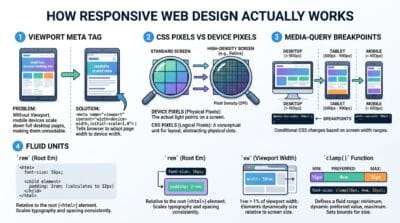
How Responsive Web Design Works: Viewports, Breakpoints & Fluid Layouts
📖 Read More
How Browser AI Models Actually Work: WebGPU, WASM & On-Device Privacy
📖 Read MoreLast updated: July 2026
🔴 Search Matches Features, Not Just Names
Most tool lists only match the title, which is useless when you don’t know what the tool is called. Here the query is compared against the feature lines on each card as well.
A real example. Type UTF-8 into the box. Nothing on this site has “UTF-8” in its name, but the Base64 Encoder / Decoder comes back, because UTF-8 handling is one of its listed features. Same story with Verilog: the card that appears is the Logic Gate Converter Pro, which exports Verilog from a gate diagram. Type EXIF and you get two very different pages — the Smart File Organizer, which reads EXIF while sorting photos, and the AI Forensic Analyzer, which reads EXIF to judge whether an image was edited.
🟡 Which Card to Open for Which Job
If you’re new to this free web tools directory, here’s the shortest path from problem to page:
🔵 Working with data or code — the JSON Studio Pro covers formatting, validation, JSONPath queries and JSON↔CSV/XML/YAML conversion in one page, and the Regex Tester & Debugger handles pattern work with live match highlighting.
🟠 Electronics coursework — start with the Truth Table Generator, then take the same expression into the Boolean Expression Simplifier to see the minimised form.
🟣 Images and media — the Advanced Image Studio Pro does compress, convert, resize and crop with batch export; the Video Studio holds the timeline, trim, merge and GIF work.
🟢 Why One Card Sometimes Replaces Three Tools
A few cards open a studio with tabs instead of a single-purpose page. Background removal, object erase and upscaling all live inside the AI Image Eraser, and image + video face blurring share one Face Blur Studio. If you searched for “upscale” and landed on a card that also mentions background removal, that’s why — you’re one tab away from what you wanted, not on the wrong page.
What the ⭐ Save Button Actually Stores
Saving a tool writes its ID into your browser’s localStorage under a single key. No account, no cookie sent to a server, no tracking of which tools you use. The practical side effect: the list is tied to this browser on this device. Saves made on your laptop won’t show up on your phone, and clearing site data or browsing in a private window wipes them.
Where This Directory Won’t Help You
Being straight about the edges. The search box only looks at tool cards — it does not search inside the articles or the tutorials, so a query like “how do I minify CSS” will find the minifier tool but not the write-up about it. Favourites don’t sync across devices, as above. And a handful of the AI tools (offline transcription, background removal) download a model file the first time you run them, so that first run needs a connection and a few seconds of patience; after that they work locally like everything else. For heavy video jobs, a phone will struggle with a 500 MB clip no matter which card you open — use a laptop. If you want the reasoning behind building every tool client-side, the full write-up is here: why offline browser tools beat upload-based ones.
Do I need an account to use any of these tools?
No. There is no sign-up form anywhere on the site. Click Open on a card and the tool is ready. Nothing is gated, and there is no paid tier hiding behind a free one.
Are my files uploaded to a server?
No. Every tool processes your data inside the browser tab using JavaScript. Your PDF, image, or JSON never leaves the machine you’re sitting at. You can confirm it yourself: open DevTools, go to the Network tab, and run a tool — you’ll see no upload request.
Why can I only save 12 favourites?
A quick-access list stops being quick once it holds thirty items. Twelve fits the home page strip and the top menu without scrolling. If you hit the limit, un-save something you haven’t touched in a while.
My saved tools disappeared. What happened?
Favourites live in this browser’s local storage. Clearing browsing data, using a private/incognito window, or switching to a different browser or device all give you a fresh, empty list. There is no account to restore them from, because there is no account.
The search returns nothing for what I typed. Now what?
Try a shorter word. “Minifier” works, “how to minify my stylesheet” does not — the search does a plain keyword match against titles and feature lines, not a natural-language query. Also try the category filter and skim the cards; some tools sit inside a multi-tab studio under a broader name.
Do the tools work on a phone?
Most do, and the directory itself is built for a phone screen. Editors that push a lot of data through the CPU — video timeline work, long audio exports, AI transcription — are realistically desktop tasks. A short clip is fine on mobile; a half-gigabyte file is not.
Can I use a tool with the internet switched off?
The page itself has to load first, so you need a connection to open it. After that, the processing is fully local — you can drop the connection mid-task and the tool keeps working. Two exceptions: the AI transcription and background-removal tools fetch a model file on first use.
Why do some cards cover three or four different jobs?
Related tools were merged into one page with tabs instead of being published as near-identical separate pages. One studio with a background-remover, an object eraser and an upscaler is easier to navigate — and honest — compared with three thin pages that mostly repeat each other.
How often are new tools added?
Roughly a couple each month, and existing tools get rebuilt more often than new ones get added. When a tool is merged into a studio, the old URL redirects to the right tab rather than dying, so any link you saved keeps working.