
Truth Table Studio
Instantly generate truth tables, simplify Boolean logic, and convert expressions to NAND/NOR gates with Verilog HDL code.

Table of Contents
Need to check every possible output of a Boolean expression? Type the expression and get the full truth table, every input combination mapped to its result, without working through the rows one by one. The generator supports AND, OR, NOT, XOR and parentheses, handles expressions of several variables, and lets you switch between plain-text operators and mathematical symbols depending on what your class or textbook uses. It is handy for verifying the logic in a homework problem, confirming that a circuit behaves the way you expect before you build it, or spotting the input combination where two expressions disagree. Because the table is built entirely in your browser, nothing you type is sent anywhere, and the tool keeps working with the network switched off once the page has loaded.
Enter a Boolean expression and every input combination is evaluated for you. Variables are detected automatically, and intermediate sub-expressions get their own columns.
ℹ️ Words (AND, OR, NOT, XOR, NAND, NOR, XNOR) or symbols (&, |, !, ^, ', ->) both work. Click 💡 Load Sample for an example.
Prove two expressions are the same — or find the exact row where they disagree. Ideal for checking De Morgan's laws and simplification homework.
Read the minterms and maxterms straight off the truth table, then see the canonical sum-of-products and product-of-sums that follow from them.
See the same truth table as a digital timing diagram. Each input counts up in binary while the output tracks along beneath, exactly as a logic analyser would show it.
ℹ️ Up to 5 variables (32 time steps) stay readable as a waveform.
Classify an expression and inspect what it really depends on: is it always true, never true, or does it actually use every variable you gave it?
🔄 Templates
Operators
Related Tools
Build the table, see the working
Type an expression and every input combination is evaluated at once. Variables are detected for you, and each bracketed sub-expression gets its own column so you can follow how the final result was reached rather than just trusting it.
Prove two expressions match
The Equivalence tab compares two expressions row by row. If they agree everywhere you get a clear verdict; if they do not, it names the exact input combination where they first disagree and highlights that row in yellow.
Read it as terms, waves or warnings
The same table becomes a minterm and maxterm list, a digital timing waveform you can download as SVG, and a short audit that tells you whether the expression is always true, never true, or quietly ignoring one of its inputs.
How to Use the Truth Table Studio
Truth Table
Type an expression, or tap the operator keys. Press Generate for the full table, stats and Verilog module.
Equivalence
Paste your original and your simplified version. One click tells you whether the simplification is safe.
Canonical & Waveform
Derive Σm and ΠM lists, then draw the timing diagram to see the output track the inputs step by step.
Logic Analysis
Classify the expression and find any variable that never changes the output, so you can drop it from the circuit.
Last updated: July 2026
🔴 When the logic works on paper but not on the breadboard
You wired the circuit, powered it up, and one input combination gives the wrong light. The temptation is to start swapping chips. The faster move is to write the expression down and let the table show you all of it at once, because a truth table is the complete specification of a combinational circuit. Nothing hides in it.
Try a real one. Enter (A AND B) OR (NOT C) and the studio produces eight rows for three variables. Leave “Show intermediate steps” ticked and you also get a column for A AND B and a column for NOT C. Now the row where A=0, B=1, C=0 stops being a mystery: the AND column is 0, the NOT C column is 1, so the OR gives 1. If your board says 0 for that combination, the fault is in the wiring or the chip, not in your algebra. That distinction saves an evening.
The keyboard under the input accepts words or symbols, so A AND B, A & B and AB-style engineering notation with a trailing apostrophe for NOT all parse the same way. XOR, XNOR, NAND, NOR, IMPLIES and IFF are all supported, evaluated by a parser built into the page rather than by handing your text to the browser’s code evaluator.
🟡 Proving a simplification did not change the circuit
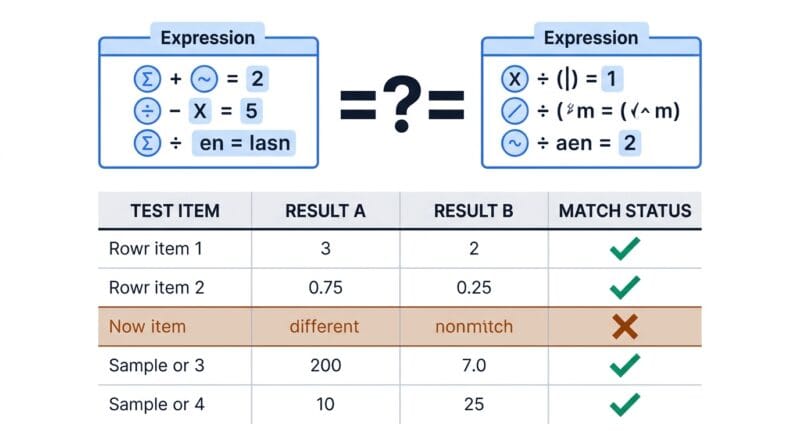
Simplifying Boolean algebra is where marks and hours get lost. You apply De Morgan’s law, cancel a term, arrive at something shorter, and then quietly wonder whether it still does the same job. The Equivalence tab answers that in one click, and it is the reason this studio exists rather than just another table generator.
Put NOT (A AND B) in the first box and (NOT A) OR (NOT B) in the second. Both are evaluated over the union of their variables, and you get a green verdict: equivalent on all four rows. Now change the second one to (NOT A) AND (NOT B), the mistake almost everyone makes once. The verdict turns red, it tells you they differ on two of four rows, and it names the first disagreement, A=0 and B=1, with that row shaded yellow in the table below. Seeing the exact failing input is what turns a wrong answer into an understood one.
Two habits follow from this. Check every simplification against the original before you commit it to a circuit. And when a lecturer’s answer differs from yours, compare the two expressions here first, because quite often both are correct and merely written differently.
🟢 The same table as terms, as waves, and as a warning
A truth table has more than one useful reading. The Canonical Forms tab lists the rows where the output is 1 as minterms, written Σm(0, 2, 4, 6, 7) for the example above, and the rows where it is 0 as maxterms. From those two lists it writes out the canonical sum-of-products and product-of-sums. These are the exact forms your textbook asks for, and they are the input a Karnaugh map needs. The studio deliberately stops there rather than minimising, so hand the minterm list to the K-Map Solver or the Boolean Expression Simplifier when you want the smallest expression.
The Timing Waveform tab redraws the table as a digital signal diagram, the view a logic analyser would give you. Inputs count up in binary while the output rises and falls beneath them, which makes the behaviour of something like A XOR B obvious in a way a grid of ones and zeros never quite is. It downloads as an SVG, so it drops straight into a lab report at any size without going blurry.
🟢 The check that pays for itself: redundant variables
🔵 Run Logic Analysis on A OR (B AND NOT B) and it reports that B is redundant, because flipping B never changes the output.
🟠 In hardware that is a wasted input pin, a wasted trace, and a gate you are paying for.
🟣 The same tab flags a tautology, where the output is always 1, and a contradiction, where it is always 0. Both usually mean a typo rather than a design.
🔴 Honest limits, and where to go next
Eight variables is the ceiling, because that is already 256 rows and the table stops being something a human reads. The waveform view caps lower still, at five variables and thirty-two time steps, since past that the traces become too narrow to follow. This is combinational logic only: there are no flip-flops, no clocks and no memory, so a sequential circuit with feedback cannot be described here. The Canonical Forms tab gives you canonical expressions, never minimal ones, and saying otherwise would be a lie you would discover in your next assignment.
One button leaves your machine. “Simulate on DigitalJS” opens an external browser-based Verilog simulator in a new tab with your generated module encoded in the link, which is handy for watching gate-level propagation. Everything else, the parser included, runs locally with no eval and no network calls. When you need the physical chip that implements your expression, the 7400 Series IC Finder maps gates to real pinouts, and if the binary row indices in the minterm list are unfamiliar, our guide to number bases explains how those row numbers are built. The 7400 family itself is documented in detail on Wikipedia’s 7400-series page.
Which operators are supported?
AND, OR, NOT, XOR, XNOR, NAND, NOR, IMPLIES and IFF, in words or as symbols such as &, |, !, ^, -> and a trailing apostrophe for NOT. Constants 0 and 1 are valid too.
How many variables can it handle?
Up to eight, which is 256 rows. The Timing Waveform tab is capped at five variables so the traces stay wide enough to read.
Does it simplify the expression?
No. It gives canonical minterm and maxterm forms, where every term is written in full. For a minimal expression, send the minterm list to the K-Map Solver or the Boolean Expression Simplifier.
What does a redundant variable mean?
It means flipping that input never changes the output, so the circuit does not actually need it. Logic Analysis names any such variable, which usually points at a term that cancels itself.
Can it check my simplification homework?
Yes, that is what the Equivalence tab is for. Enter the original and your simplified version. If they differ, it shows the first input combination where the outputs disagree.
Is my expression sent to a server?
No. The parser is written into the page and runs on your device, with no code evaluator and no network calls. The only exception is the DigitalJS button, which deliberately opens an external simulator.
Does it support flip-flops or clocked circuits?
No. Truth tables describe combinational logic, where the output depends only on the current inputs. Sequential circuits with memory and feedback need a state diagram instead.
What is the Verilog export for?
It writes a ready module with your variables as inputs and the expression as a single assign statement. Copy it, download it as a .v file, or open it in DigitalJS to watch the gates switch.
Why do the row numbers matter?
Each row index is the binary value of the inputs read top to bottom, and those indices are exactly what a minterm list Σm(…) refers to. They are also the cell addresses a Karnaugh map expects.