
Browse the Tools by Category
Each card below is one category, with a live count and the full list of tools inside it — scroll the box to read every name before you click. Hit Explore Category and the main directory opens with that filter already applied.
The Count Is Live, Not Typed
Every “12 Tools” badge is counted from the tool registry when the page loads. When a tool is added or merged into a studio, the number here changes on its own — no stale lists.
See Inside Before You Click
The grey box on each card lists every tool in that category by name. If what you need is not on that list, you have saved yourself a page load.
A Tool Can Sit in Two Places
The JWT Decoder is a Security tool and a Developer tool, so it is counted in both. That is deliberate — you should find it from whichever direction you came.
LATEST TECHNICAL GUIDES 58

How to Convert CSV to SQL: Types, Dialects & Safe INSERT Statementshow-to-convert-csv-to-sql
📖 Read More
How PDF Files Work Inside – Text, Pages and Why Redaction Is Hard
📖 Read More
How to Spot AI Written Content — And Why Detector Tools Keep Getting It Wrong
📖 Read More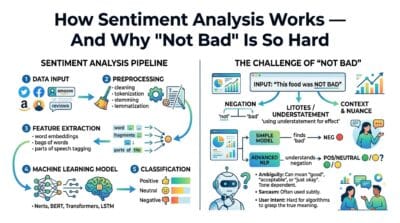
How Sentiment Analysis Works — And Why “Not Bad” Is So Hard
📖 Read More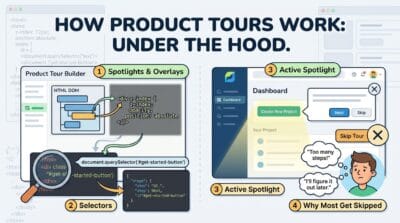
How Product Tours Work Under the Hood
📖 Read MoreLast updated: July 2026
🔴 Why the Category Counts Add Up to More Than the Tool Count
Add every badge on this page together and you get a bigger number than the number of tools on the site. That is not a bug. A tool can belong to more than one category, and several do.
Take the JWT Decoder & Inspector. Someone debugging a failed login looks for it under Developer Tools. Someone auditing a token’s expiry claim looks under Security. Filing it in one place would mean half the people who need it never find it, so it sits in both and gets counted twice. The AI Forensic Analyzer does the same across Image Tools, AI Tools and Security. This kind of multi-label grouping is called faceted classification, and it is the right trade-off when people arrive from very different directions.
🟡 Categories or the Full Directory: Which One Should You Open?
Two different jobs, two different pages.
🔵 Use this page when you are browsing. You know roughly what area you are in — “something for audio”, “something for my logic-design assignment” — but not which tool. The scroll box lets you read every name in the category before committing to a click.
🟠 Use the full tools directory when you already know the feature. Its search box matches the feature lines on each card, not just titles. Typing Verilog there lands you on the Logic Gate Converter Pro straight away; scrolling categories to find that would take three times as long.
🟢 Why Some Categories Look Smaller Than You Expect
Video Tools shows two cards, and people ask where the merger, the trimmer, the GIF exporter and the watermark tool went. They are all inside the Video Studio as tabs. Publishing them as separate pages would inflate the count and give you four near-identical thin pages to choose between. One page with tabs is a smaller number and a better afternoon.
What These Cards Will Not Tell You
Being straight about it. The card lists tool names, not features — a name like “Advanced Image Studio Pro” does not tell you it can batch-export a ZIP, so for feature-level questions you still need the directory search or the tool page itself. The categories are a rough grouping, not a taxonomy: “Utilities” is a catch-all and always will be. And nothing here indicates which tools are heavy — a phone will handle the Word Counter and choke on a 500 MB video, and no badge on this page warns you about that. If you want the reasoning behind grouping related tools into tabbed studios instead of separate pages, that is written up here: why fewer, deeper tool pages beat many thin ones.
Why does the same tool appear in two categories?
Because two different people would look for it in two different places. A JWT decoder is a developer tool to one person and a security tool to another. Duplicating the listing costs nothing and saves a search.
Do the tool counts update automatically?
Yes. Each badge is counted from the tool registry when the page loads, not typed into the card. Add a tool and the number moves without anyone editing this page.
What does the Explore Category button actually do?
It opens the main directory with that category filter already applied, through a link ending in ?cat=. The URL is stable, so you can bookmark it or send it to someone and they land on the same filtered view.
A category I expected is missing. Where is it?
Empty categories are not rendered. If a category has zero tools right now — usually because its tools were merged into a studio filed elsewhere — the card is skipped instead of showing a hollow “0 Tools” box.
Why does Video Tools only have a couple of cards?
The merger, trimmer, GIF exporter, watermark tool and colour grader all live inside the Video Studio as tabs. One page with tabs beats five near-identical pages, so the count is small on purpose.
Can I search from this page?
Not here — this page is for browsing. The search box on the main directory is the one that matches feature text, so if you know the feature you want, start there instead of scrolling categories.
Is there a limit on how many tools I can use?
No. There is no account, no quota, and no paid tier. Every tool on every category card is open, and each runs in your browser rather than on a server, so there is nothing to meter.
Do the category pages work on a phone?
Yes. The grid drops to a single column and the included-tools box stays scrollable. Everything remains readable and nothing is hidden — the full text is in the mobile page, not stripped out of it.
How are new tools assigned to a category?
By what someone would be trying to do when they go looking for it, not by what technology it uses internally. That is why an EXIF viewer sits under Image Tools rather than under a “metadata” heading nobody searches for.