Free Online Tools That Run Entirely in Your Browser
Prime Tool Hub is a growing collection of fast, free web utilities built for developers, students, teachers, and content creators. Every tool runs 100% offline inside your browser — your files, text, and data never leave your device or get uploaded to a server. No sign-ups, no installs, and no privacy trade-offs.
Convert and format files, generate print-ready labels, edit and compress images, decode tokens, clean up CSV data, and much more. Because everything happens on your own machine, each tool keeps working even with your Wi-Fi switched off — and nothing you type is ever stored or tracked.
New tools are added regularly. Browse the full Web Tools Directory below, or read our in-depth technical guides to get the most out of each utility.
Your Trusted Offline Web Tools Hub 💯
LATEST TECHNICAL GUIDES 53

How Browser AI Code Tools Work — BYOK, Direct API Calls & the Privacy Trade
📖 Read More
How AI Image & Video Prompts Actually Work: Diffusion, Tokens, Seeds & Negatives
📖 Read More
Boolean Minimization Explained: Quine–McCluskey, Prime Implicants & Gate Cost
📖 Read More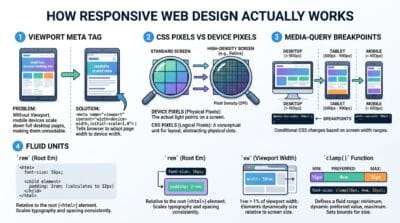
How Responsive Web Design Works: Viewports, Breakpoints & Fluid Layouts
📖 Read More
How Browser AI Models Actually Work: WebGPU, WASM & On-Device Privacy
📖 Read More100% Offline Processing
Every tool runs entirely in your browser tab. Paste your JSON, upload your image, or type your Boolean expression — the result appears instantly. Nothing is sent to any server at any point.
No Account Required
Open any tool and start working. No email address, no password, no trial period, no credit card. Prime Tool Hub has zero registration walls — every tool is fully functional from the first click.
69 Tools Across 18 Categories
Developer tools, image editors, video utilities, PDF processors, AI assistants, digital electronics calculators — all built to professional standards with keyboard shortcuts and export options.
How to Use Any Prime Tool Hub Tool
Pick a Tool
Search by name, category, or tool number in the search bar. Click any tool card to open it.
Load Sample
Hit the 💡 Load Sample button to see the tool working immediately with real example data.
Paste Your Data
Clear the sample and paste your own input. Results update instantly — no Submit button needed on most tools.
Copy or Export
Use the Copy, Download, or Export button to save your result. Switch to Full Width mode for more workspace.
Last updated: July 2026
🔴 What Is Prime Tool Hub and Who Is It For?
Prime Tool Hub is a collection of free web tools built for people who work with code, data, images, and documents every day. Front-end developers, back-end engineers, ICT students, digital marketers, and content creators all use the platform regularly. The tools range from simple converters — like a Unix Epoch Time Converter — to complex multi-tab studios with export, print, and AI-assisted features.
The platform was built by Ruwan Suraweera, an ICT educator and full-stack developer. The goal was straightforward: build tools that developers actually need, make them free forever, and make them fast enough to use mid-task without breaking concentration. Every tool loads in under two seconds and works without an internet connection once the page is open.
🟡 How Browser-Based Tools Work Without a Server
Most online tools send your data to a remote server, process it there, and send results back. This adds delay, creates a privacy risk, and breaks completely when your internet drops. Browser-based tools skip the round trip entirely. When you paste a JWT token into the JWT Decoder, the decoding happens inside your browser's JavaScript engine — the token never leaves your machine.
This works because modern browsers ship with a powerful JavaScript runtime. Chrome's V8, Firefox's SpiderMonkey, and Safari's JavaScriptCore can all run complex algorithms at near-native speed. According to the MDN Web Workers API documentation, browsers can offload heavy tasks to background threads — which is how the video compression and image processing tools handle large files without freezing your browser tab.
🟢 What Data Stays Private
When you use any tool on Prime Tool Hub, your input is loaded into your browser's working memory only. There is no server-side logging, no analytics attached to individual sessions, and no file storage. When you close the tab, the browser discards that memory completely.
- 🔵 JWT tokens and API keys decoded in the JWT Decoder never touch a server
- 🟠 Images processed in the Advanced Image Studio are handled by the Canvas API in your browser
- 🟣 Video files trimmed or compressed in the Video Editor Studio never leave your device
- 🔵 Boolean expressions in the Logic Gate Converter are computed locally using JavaScript
🟡 A Guide to the 18 Tool Categories
Prime Tool Hub organises its 69 tools into 18 categories. Here is a practical summary of what each category covers.
🟢 Developer and Web Development Tools
The most-used tools on the platform. The PageSpeed Code Analyzer lets you paste raw HTML and immediately see which elements are causing CLS, blocking render, or missing alt attributes — without uploading a URL to any external service. The JWT Decoder breaks apart JSON Web Tokens and shows the header, payload, and expiry in a readable format. The Boolean Expression Simplifier walks through Quine-McCluskey minimization step by step.
- 🔵 PageSpeed Code Analyzer — paste HTML, get CLS and LCP fixes instantly
- 🟠 JWT Decoder and Inspector — decode header, payload, verify expiry offline
- 🟣 HMPL Render and Mock API Studio — test HMPL templates with a built-in mock server
- 🔵 GUID Generator and Validator — generate cryptographically secure UUIDs, validate up to 10,000 at once
🟢 Digital Electronics and Logic Tools
Built for engineering and computer science students. The 7400 Series IC Finder has datasheets and pinout diagrams for over 200 standard TTL and CMOS logic chips. The Universal Logic Gate Converter Pro takes any Boolean expression and converts it to NAND-only or NOR-only logic, then generates synthesizable Verilog HDL code. The Truth Table Generator handles up to 8 variables with all standard operators.
🟢 AI-Assisted Tools
The AI category uses your own API keys from Gemini, Groq, or Claude. Your data goes directly from your browser to the AI provider you choose — not to Prime Tool Hub servers. The AI Sentiment Analyzer processes customer reviews and social media comments, with the inference call going directly to the provider API. The AI Text Summarizer condenses articles, reports, and meeting notes across six output modes. Browse the full tool categories guide to find the right tool faster.
Frequently Asked Questions
Are these tools genuinely free with no hidden charges?
Yes. Every tool is permanently free with no usage limits, no subscription tiers, and no features behind a paywall. The platform is supported by display advertising only.
Do I need to create an account to use the tools?
No account is needed for any tool. Open the page, start working. The Favourites feature pins tools to a quick-access list stored in your browser's local storage — not on a server.
Can I use these tools without an internet connection?
Yes, once a tool page has loaded in your browser. All processing logic is in the JavaScript that loads with the page. Disconnect Wi-Fi after loading and the tool continues working normally.
Is my data safe when I paste code or upload files?
Your data never leaves your browser. There is no server upload, no logging of input data, and no analytics on tool sessions. When you close the tab, your data is cleared from memory entirely.
How do I find a specific tool quickly?
Use the search bar on the homepage. Search by tool name, a feature keyword like "CLS" or "JWT", or by tool number — type "#65" to jump directly to the PageSpeed Code Analyzer.
Who built Prime Tool Hub and why?
Ruwan Suraweera — an ICT educator and full-stack developer — built the platform to give developers and students access to professional-grade utilities without the privacy risks of cloud tools.
How often are new tools added?
New tools are added regularly — typically two to four per month. Each tool includes a full technical guide article. The Latest Technical Guides section shows the most recent additions.
Can I request a specific tool to be built?
Yes. Use the Contact Us page to submit a tool request. Tools requested by multiple users are prioritised in the build queue. Describe the problem you need to solve and the inputs and outputs you expect.
Who developed this platform?
Prime Tool Hub was built to give developers and students free, private alternatives to cloud-based tools.