Cron Jobs — Complete Developer Guide
Cron is the Unix scheduler that powers most recurring server automation. One expression, running reliably for years. This guide covers cron syntax from first principles through production deployment, timezone handling, platform differences and the patterns that actually work in the real world.

Table of Contents
Last updated: July 2025
🔴 How the Cron Daemon Actually Works — From Boot to Execution

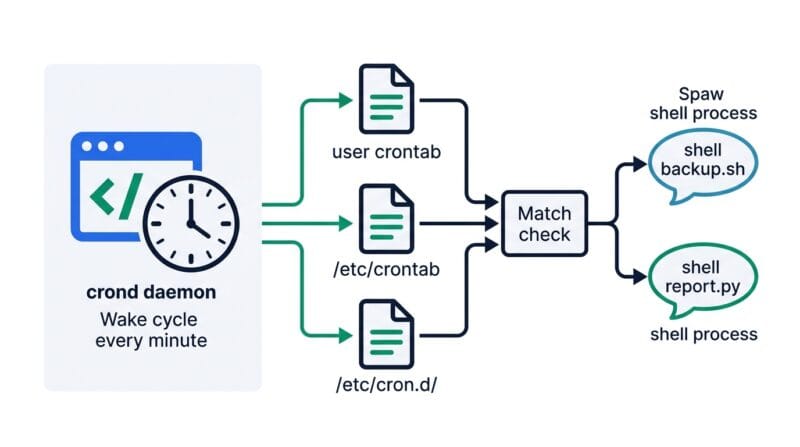
Cron is a daemon — a background process that starts at boot and stays running silently. On modern Linux systems it’s typically crond (Red Hat / CentOS) or cron (Debian / Ubuntu). Every minute, the daemon wakes up, reads all crontab files, compares the current time against every expression, and spawns a shell process for any job that matches. Then it goes back to sleep until the next minute boundary.
It reads three types of crontab:
- 🔵 User crontabs — edited with
crontab -e, stored in/var/spool/cron/crontabs/username. Standard 5-field format. Run as the owner user. - 🟠 System crontab —
/etc/crontab— uses a 6th field for username before the command, so system jobs can run as specific users. - 🟣 Drop-in directory —
/etc/cron.d/— same 6-field format as system crontab. Package installations drop files here to register their own scheduled jobs.
There are also the directories /etc/cron.hourly/, /etc/cron.daily/, /etc/cron.weekly/ and /etc/cron.monthly/. Drop an executable script into any of these and it runs on that schedule automatically, managed by run-parts. No cron expression needed — the directory name is the schedule.
🟡 The Cron Environment — Why Your Script Works in Terminal but Fails in Cron
This is the most common production problem with cron. A script that runs fine when you execute it manually silently fails when cron runs it. The reason: cron does not inherit your shell environment.
When you log in, your shell sources ~/.bashrc, ~/.bash_profile and /etc/profile. These set your PATH, activate virtual environments, set database credentials, and configure tool paths. Cron’s environment has none of this — it starts with a minimal PATH of just /usr/bin:/bin, no HOME, no custom variables. Commands like python3, node, php or wp may not be found.
Three reliable fixes:
- 🔵 Use absolute paths — replace
python3 script.pywith/usr/bin/python3 /home/user/script.py. Runwhich python3in your terminal to find the full path. - 🟠 Set PATH in the crontab — add
PATH=/usr/local/bin:/usr/bin:/binat the top of your crontab file, before any job entries. - 🟣 Source the profile in a wrapper script — write a shell script that starts with
source /home/user/.bashrc, then calls your actual script. Point cron at the wrapper.
🟢 Cron Output and Email — Silencing the Noise
By default, any output produced by a cron job gets emailed to the user running the job. On most servers, this means /var/mail/username fills up silently with thousands of empty notification emails, slowly consuming disk space. Two common patterns to handle this properly:
Redirect all output to a log file: 0 3 * * * /usr/bin/backup.sh >> /var/log/backup.log 2>&1. The >> appends, 2>&1 redirects stderr alongside stdout. Rotate this log with logrotate to prevent it growing indefinitely.
Discard all output when you don’t need it: */5 * * * * /usr/bin/health-check.sh > /dev/null 2>&1. Use this only for jobs you’re confident are working. At minimum, log errors somewhere so silent failures don’t go undetected.
🔴 Debugging Cron Jobs in Production — A Systematic Approach
Cron problems are notoriously hard to debug because failures are silent by default. A systematic checklist saves hours of hunting.
🟢 Step-by-Step Cron Debug Checklist
Step 1 — Verify cron is running. systemctl status cron or systemctl status crond. If it’s not active, start and enable it.
Step 2 — Check the cron log. On Ubuntu/Debian: grep CRON /var/log/syslog. On CentOS/RHEL: /var/log/cron. This shows every job that ran (or was attempted). If your job isn’t appearing here, cron never tried to run it — the expression or crontab entry is the problem.
Step 3 — Run the command manually as the cron user. Use sudo -u cronuser bash -c 'your command here' to simulate the exact environment cron would use. If it fails here, the problem is in the command or environment, not the schedule.
Step 4 — Verify file permissions. The script must be executable: chmod +x /path/to/script.sh. The cron user must have read and execute permission on every directory in the path.
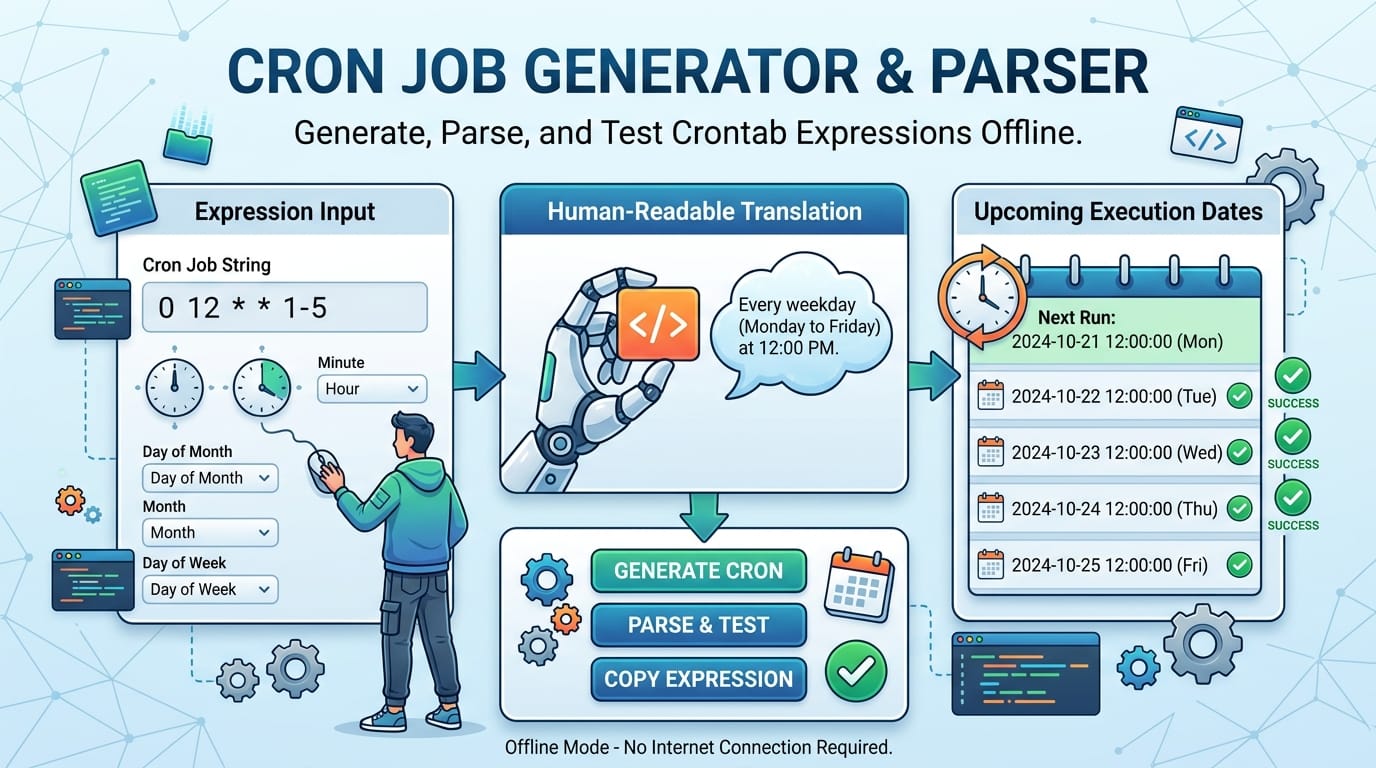
Step 5 — Validate the expression. Use a cron expression generator like Cron Studio Pro to calculate next run times. If the expression looks right but runs at unexpected times, you likely have a timezone mismatch between your expectation and the server’s clock.
Step 6 — Add temporary verbose logging. Modify the cron entry to capture full output: > /tmp/cron_debug.log 2>&1. Wait for the next scheduled run, then inspect the file. Remove the verbose logging after resolving the issue.
🟡 Advanced Cron Patterns — Locking, Retry Logic and Health Checks
Standard cron has no concept of job overlap. If a job takes longer than its interval — a backup that runs every hour but takes 90 minutes — two instances run simultaneously, potentially corrupting the same files or deadlocking a database. Three approaches solve this:
flock — the cleanest solution for shell scripts. Wrap the cron command: flock -n /tmp/backup.lock /usr/bin/backup.sh. If the lock file is held by a running instance, flock -n exits immediately with code 1 instead of waiting. No overlap, no hanging.
PID file check — the script writes its PID to a file on start and deletes it on clean exit. At startup it checks if the PID file exists and if that PID is still running. More flexible than flock for longer-running processes.
Dead man’s switch monitoring — services like Healthchecks.io or Cronitor receive a ping each time your job completes successfully. If no ping arrives within the expected window, you get an alert. This catches both failed jobs and jobs that stopped running entirely — something cron’s own logging won’t tell you.
For retry logic on failures, cron itself has none — it either runs or it doesn’t. Build retries into the script itself, or use a wrapper like retry (a small shell utility) or a task queue with retry support (Celery, Sidekiq, BullMQ) for jobs where reliability matters more than simplicity.
For a comprehensive reference on Unix time scheduling, the POSIX crontab specification defines the standard behavior that all compliant implementations follow, while the Cron Wikipedia article covers the historical evolution from the original AT&T Unix implementation through modern variants.
What is a cron job and how does it work?
A cron job is a scheduled task that a Unix-like operating system runs automatically at a specified time or interval. The cron daemon runs in the background, waking up every minute to check whether any job should fire based on its expression. When a match is found, it spawns a shell process to execute the command.
How do I edit my crontab file?
Run crontab -e in your terminal. This opens your personal crontab in the system’s default editor (usually nano or vi). Each line is one job: five schedule fields, then the command. Save and exit — changes take effect immediately without restarting any service. Use crontab -l to list and crontab -r to remove all jobs.
Why does my cron job run but produce no output?
Cron sends output by email to the local user by default. If your server has no mail transfer agent configured, this email silently disappears. Add >> /tmp/cron.log 2>&1 to your cron command to redirect output to a file you can inspect, confirming whether the job ran and what it produced.
What is the difference between cron and systemd timers?
Systemd timers are the modern alternative on systems using systemd (most current Linux distributions). They offer better logging via journald, dependency management, calendar time expressions, and catch-up execution for missed jobs. Cron is simpler and more portable across Unix variants. For most server automation tasks, cron is still the practical choice for its simplicity and universal availability.
Can two cron jobs run at the same time?
Yes — cron has no built-in job overlap prevention. If a job takes longer than its interval, multiple instances run simultaneously. For jobs where overlap is dangerous, use flock -n /tmp/lockfile.lock yourcommand to skip the run if a previous instance is still executing. This is especially important for database backups and file processing jobs.
How do I run a cron job at server reboot?
Use the @reboot shorthand in your crontab: @reboot /usr/bin/start-service.sh. This runs once when the cron daemon starts, which is shortly after system boot. For services that need precise startup ordering or dependency management, systemd units are more reliable than @reboot cron jobs.
Does cron work on macOS?
Yes, macOS includes cron, but Apple deprecated it in favor of launchd. On modern macOS, cron still works for basic scheduling — use crontab -e as on Linux. For production macOS automation, launchd plists in ~/Library/LaunchAgents/ are the Apple-supported approach and offer more control over when tasks fire.
How do I check what cron jobs are currently running?
Use crontab -l to list your scheduled jobs. To see actively running cron-spawned processes: ps aux | grep cron. For recent execution history, check grep CRON /var/log/syslog | tail -50 on Debian/Ubuntu or tail -f /var/log/cron on RHEL-based systems.
What happens if the server is off when a cron job should run?
Standard cron misses the job — it does not catch up when the server comes back online. Anacron is the solution for this: it runs missed daily, weekly and monthly jobs once after the server restarts, using the files in /etc/cron.daily/ etc. For user crontab jobs, there’s no built-in catch-up — you’d need to handle this in your application logic or use a job scheduler that supports persistent state.