How JSON Web Tokens Really Work: Structure, Signatures and Safet
A plain-English look at how a JSON Web Token is built, how its signature proves trust, and the attacks the spec warns about — with an offline tool to try it yourself.
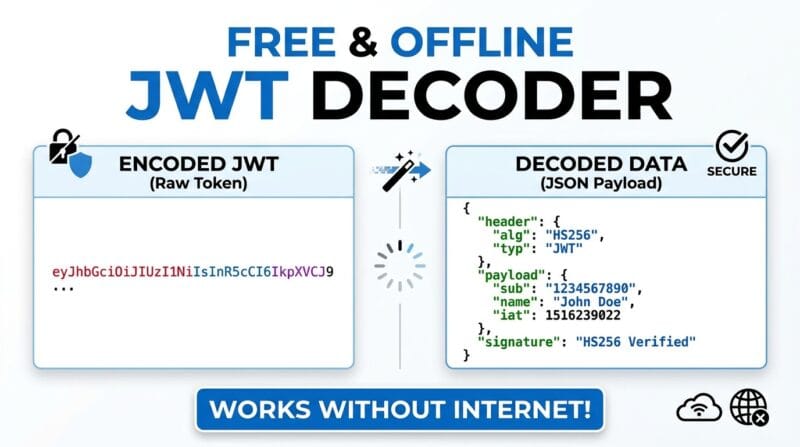
Table of Contents
Last updated: July 2026
🔴 The three parts of a token, and why the dots matter
Every JSON Web Token is three chunks of text joined by two dots. Split on those dots and you get the header, the payload, and the signature. The header and payload start life as small JSON objects, and the signature is a cryptographic stamp computed over the first two. That layout is not a convention someone invented on a whim; it is written down in the official standard, IETF RFC 7519.

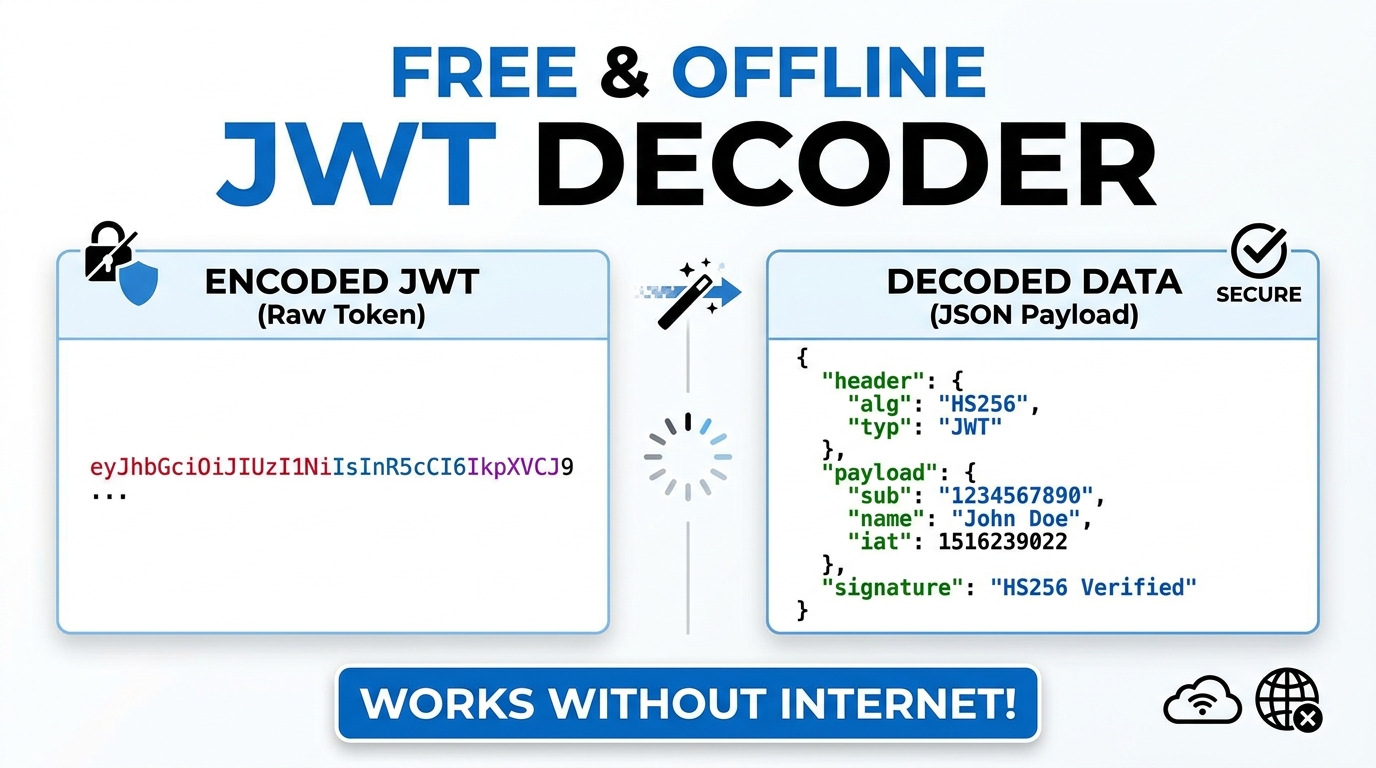
Before those JSON objects can travel inside a URL or an HTTP header, they are converted with base64url. This is a cousin of ordinary base64 that swaps two awkward characters and drops the trailing padding, so the result is safe to drop into a web address without anything getting mangled. A key point that trips people up: base64url is an encoding, not encryption. It scrambles nothing. Anyone who copies the middle chunk of a token can decode it back to readable JSON in a second, which is exactly what happens when you paste a token into a decoder. If base64 itself is new to you, the deeper mechanics are covered in our note on the base64 encoder and decoder.
So the header might decode to something like a two-field object naming the algorithm and the type, and the payload to a set of claims about a user. The claims themselves follow a small shared vocabulary. Short three-letter names such as iss, sub, aud, exp, nbf and iat are the registered claims, and using them consistently is what lets one company’s token be understood by another company’s library.
🟡 How a signature proves a token was not changed
If the payload is readable by anyone, what stops a user from editing their own token to promote themselves to admin? The signature. Here is the idea without the maths. The server takes the encoded header, a dot, and the encoded payload, and runs that whole string through a keyed hashing function together with a secret only the server knows. The output is the signature that becomes the third part of the token.
When a token comes back later, the server repeats the exact same calculation with its secret and compares its result to the signature attached to the token. Match, and the token is genuine and untouched. If even a single character of the payload changed, the recomputed signature no longer lines up and the token is rejected. Because the attacker does not have the secret, they cannot forge a matching signature for their edited payload. This keyed-hash technique is called HMAC, and it is the same family of function you will find in our guide to secure hashing. Modern browsers expose it natively through the Web Crypto SubtleCrypto API, which is how a fully offline tool can verify a signature without any server.
Notice what a signature does and does not give you. It gives integrity and authenticity: proof the token came from the holder of the secret and was not altered. It does not give confidentiality. The payload is still plain to read. That is the crucial mental model. A signed token is like a sealed letter with a wax stamp; breaking the seal is obvious, but the writing was never hidden.
🟢 HS256 versus RS256: who holds the key
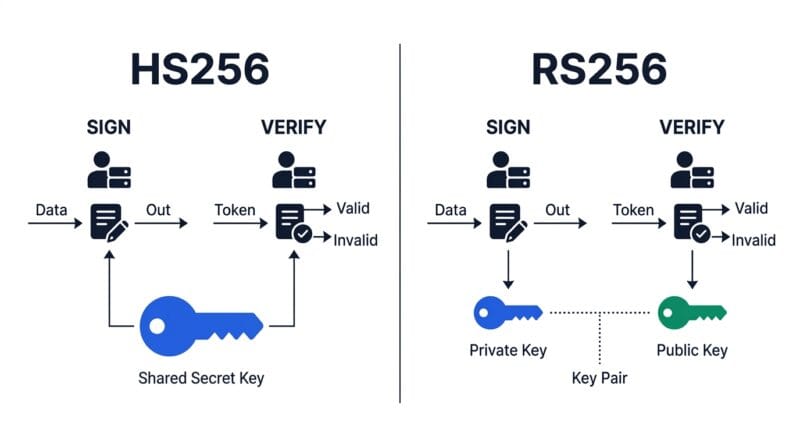
The header’s algorithm field decides how that signature is made, and the choice shapes your whole architecture. HS256, HS384 and HS512 are symmetric. One shared secret both signs and verifies. That is simple and fast, and it suits a single service that talks only to itself. The catch is that everyone who needs to verify a token must also hold the signing secret, and a secret spread across many services is a secret waiting to leak.
RS256 and ES256 are asymmetric. A private key signs, and a matching public key verifies. The private key stays locked on the issuing server, while the public key can be handed out freely to any service that only needs to check tokens. A payment service can verify a login token without ever being able to mint one. That separation is why large systems with many services usually reach for RS256. The trade-off is more moving parts: key pairs, rotation, and a way to publish the public key.
🟢 A rule of thumb
🔵 One service, talking to itself, wanting simplicity: symmetric HS256 is fine.
🟠 Many services, where only one should be allowed to issue tokens: asymmetric RS256 keeps the signing power in one place.
🟣 Whatever you choose, keep the secret or private key on the server. It should never ship inside a browser bundle or a mobile app.
🔴 The attacks the standard warns about
JWTs have a small number of famous failure modes, and they are documented plainly in the JWT Best Current Practices, IETF RFC 8725. Knowing them turns a token from a black box into something you can reason about.
The most infamous is the alg:none trick. Early libraries let a token declare that it used no algorithm at all, meaning no signature. An attacker would strip the signature, set the algorithm to none, and some servers happily trusted it. The fix is blunt: a verifier must decide in advance which algorithms it accepts and reject everything else, none included.
A subtler cousin is algorithm confusion. If a server is told to verify with a public RSA key but an attacker relabels the token as HS256, a naive library might use that public key as an HMAC secret. Since the public key is, by definition, public, the attacker can now sign valid tokens. The defence is to pin the expected algorithm rather than trusting whatever the header claims. A third class hides in the kid header, a key identifier that some systems feed straight into a file path or database lookup, opening the door to injection if it is not sanitised. None of these are exotic; they are the everyday checklist of anyone reviewing a token system, which is why a good auditing tool surfaces them for you.
🟡 Where a token actually sits in a login flow
Theory sticks better when you can place it in a real journey. A user signs in with a password. The server checks it once, then issues a short-lived access token, often valid for fifteen minutes, carrying the user’s id and roles. The browser attaches that token to each request, and every service can verify it without hitting the login database again. That statelessness is the whole appeal of JWTs at scale.
Short lifetimes raise an obvious question: what happens when the token expires mid-session? That is the job of a separate, longer-lived refresh token, kept somewhere safer, whose only purpose is to quietly request a new access token. The access token stays brief so a leaked one is useless within minutes, while the refresh token is guarded more tightly. Understanding this two-token dance explains why the exp claim is so central, and why a token without one is a quiet liability rather than a convenience. When you want to see any of this for yourself, the JWT Studio lets you decode, sign and audit tokens entirely in your browser, so the concepts on this page become something you can poke at rather than just read about.
Is a JWT encrypted?
A standard JWT is signed, not encrypted. The payload is base64url text that anyone can decode and read. Signing proves the token was not altered; it does not hide the contents.
Can someone change the payload of my token?
They can edit the text, but they cannot produce a matching signature without the secret or private key. A properly configured server recomputes the signature and rejects any token that was changed.
Why are the claims only three letters long?
Names like iss, sub, exp and iat are the registered claims defined in RFC 7519. Sharing this vocabulary lets tokens issued by one system be understood by libraries written by another.
Should I use HS256 or RS256?
HS256 suits a single service that both issues and verifies tokens. RS256 fits many services, because a private key signs while a widely shared public key verifies, keeping issuing power in one place.
What is the alg:none attack?
It is a token that declares no signature at all. Servers that trust it can be handed forged tokens. The fix is to accept only a fixed list of algorithms and reject none, as RFC 8725 advises.
Where should the secret key live?
Only on the server. If a signing secret or private key is bundled into a browser app or mobile binary, anyone can extract it and mint their own valid tokens, which defeats the entire scheme.
Why do access tokens expire so quickly?
A short life limits the damage of a leaked token. A separate refresh token, stored more securely, is used to obtain fresh access tokens without asking the user to log in again.
Can I inspect tokens without sending them online?
Yes. Because decoding and HMAC verification are available in the browser through the Web Crypto API, a client-side tool can read and check tokens without any server contact.
What is the signature actually computed over?
Over the encoded header, a dot, and the encoded payload together. Change either part and the signature no longer matches, which is what makes tampering detectable.