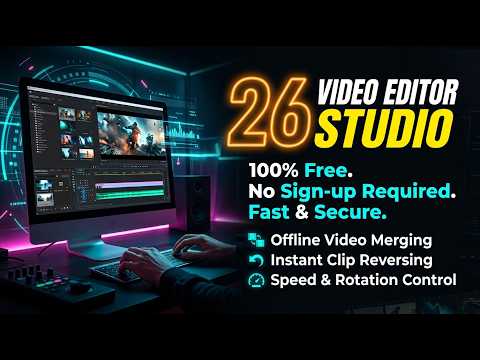
Quick Guide to Merging and Trimming MP4 Videos with free offline video editor

Quick Guide to Merging and Trimming MP4 Videos Offline

Looking for a secure, free offline video editor? Learn how to easily merge, trim, reverse, and adjust MP4 videos directly in your browser without internet access.

 
free offline video editor

🟥 Why Professionals Need a Secure, Free Offline Video Editor Today

We all face the exact same frustrating problem when handling digital media. You have a standard MP4 video you need to trim down, or maybe you want to stitch two short clips together for a presentation. You do not want to boot up a massive, resource-heavy desktop application like Adobe Premiere Pro or DaVinci Resolve just to cut five seconds off a timeline. Those programs consume gigabytes of RAM and take minutes just to load. Your next logical step is usually searching for a quick tool on Google. But that introduces a massive new problem: data privacy risks, slow upload speeds, and horrible user experiences. This is exactly why finding a highly capable free offline video editor is so critical for modern workflows.

Most web-based video platforms force you to upload your personal, often sensitive, files to their remote cloud servers. This process eats up your internet bandwidth and leaves your private footage sitting on a server you do not control. Then, after you wait 20 minutes for the video to render on their backend, they lock your final file behind a giant watermark or ask for a premium monthly subscription. Our free offline video editor changes these rules entirely. We built a powerful web utility that handles your media right inside your web browser using local processing. There are no uploads. There are no watermarks. There are no subscriptions. Once the webpage loads, you can physically disconnect from the internet and continue editing. Everything happens securely on your local hard drive and system memory.

Prime Tool Hub Video

🟧 Core Mechanics of This Free Offline Video Editor

When you open this free offline video editor, you gain access to a professional suite of manipulation tools stripped down into a remarkably easy-to-use interface. The primary goal is raw speed and technical efficiency. You simply drag and drop your local MP4 files directly into the web timeline. Because the tool operates locally, it instantly reads the file’s binary structure. An MP4 file consists of different “atoms” or “boxes”—specifically the ‘moov’ atom which holds metadata, and the ‘mdat’ atom which holds the actual audio and video frames. Our tool parses these atoms locally, which means playback and rendering speeds are exceptionally fast compared to server-based alternatives.

  • 🟢 Precision Video Trimming: A top-tier free offline video editor must handle rapid cuts without lagging. You can use the dedicated clip inspector to set exact start and end times down to the individual millisecond. This lets you cut out dead space from screen recordings effortlessly without waiting for a server to process the request.
  • 🔵 Seamless Video Merging: Need to combine multiple smartphone clips? Just import your local files, drag them into the storyboard sequence, and arrange them. This free offline video editor stitches the ‘mdat’ frames together natively in your browser. It recalculates the timestamps and exports a unified file seamlessly.
  • 🟣 Real-Time Color Grading: Fix poor lighting or washed-out colors instantly. Adjust the brightness, contrast, and saturation sliders in the side panel. The changes reflect live on the HTML5 canvas, making it a highly effective free offline video editor for quick, on-the-fly visual corrections.
  • 🟤 Creative Video Reversing: The built-in reverser tool flips your video playback backward. Reversing video frames requires significant active memory because the tool must decode the frames and reorder them in reverse sequence. Our client-side engine handles this intense process quietly in the background.

Finding a trustworthy free offline video editor can feel like navigating a minefield of fake download buttons and hidden fees. By keeping the processing strictly client-side, we give you enterprise-level multimedia control at zero cost. You can access the entire PrimeToolHub utility suite for more tools engineered with this exact same privacy-first, offline architecture.

🟨 The Computer Science Behind Our Free Offline Video Editor

How exactly does a web browser function as a free offline video editor without passing the data to a backend Node.js or Python server? The secret lies in modern browser APIs, specifically WebAssembly (Wasm) and the HTML5 Canvas ecosystem. Older web tools had no choice but to upload your MP4 to a cloud server, run a heavy command-line application like FFmpeg on a Linux machine, and send the finished file back down to you. We bypassed the server entirely by compiling heavy processing libraries directly into browser-readable code.

By heavily relying on WebAssembly technology, we can run complex C and C++ video encoding engines directly inside your Chrome, Firefox, or Edge browser. Wasm allows web applications to execute code at near-native hardware speeds. When you adjust a contrast slider or instruct this free offline video editor to trim a specific clip, the engine reads the video stream frame by frame. It draws each frame onto an invisible HTML5 Canvas, applies the pixel matrix calculations for color or timing adjustments, and repacks the data into a new MP4 container in your computer’s Random Access Memory (RAM). This is computer science at its absolute finest—turning a standard local web browser into a high-powered multimedia rendering factory.

🟩 Absolute Data Privacy With A Client-Side Free Offline Video Editor

Data security is the number one reason professionals hesitate to use standard web-based utilities. If you are editing internal corporate meeting recordings, private family moments, or unreleased commercial footage, you simply cannot risk uploading that raw data to an unknown server. Because this free offline video editor operates strictly via JavaScript and WebAssembly within your active browser tab, the files never physically leave your hard drive. There is zero network data transmission involving your media files.

To test this yourself, you can literally load the webpage, unplug your Ethernet cable or turn off your Wi-Fi, and continue using the free offline video editor without any interruptions or errors. Your web browser acts as a sandbox. It isolates the memory space, ensuring no third-party network trackers, browser extensions, or external scripts can access your raw video footage. Most people search for a free offline video editor just to avoid paying for expensive desktop software, but they end up paying with their personal data when they land on cloud tools. We solved both problems simultaneously by keeping everything client-side.

🟥 Optimizing Your Local Editing Workflow

Because this free offline video editor relies on your local machine rather than a supercomputer in the cloud, performance is tied directly to your hardware. To get the fastest rendering speeds, you need to manage your system memory. Since all frame decoding and rendering happens in your RAM, closing heavy background applications and unnecessary browser tabs will drastically speed up the final export process, especially when merging multiple large 1080p MP4 files.

  • 🟢 Start your workflow by importing all necessary clips into the main storyboard sequence.
  • 🔵 Select each individual clip and use the “Clip Inspector” to define strict trim start and end times to cut out junk data.
  • 🟣 Apply your specific color grading settings. Boosting contrast slightly often helps flat smartphone footage look professional.
  • 🟤 Hit the export button and let your local CPU and RAM compile the new video seamlessly.

By removing the massive friction of slow cloud uploads, mandatory email logins, and deceptive subscription paywalls, we have engineered your perfect free offline video editor for daily production tasks. Try trimming and merging a few clips today to experience the raw speed and security of true client-side processing.

🤔 Frequently Asked Questions (FAQ)

1. Does this free offline video editor add a watermark?

No, we never add watermarks to your exported videos. The tool is 100% free for both personal and professional use. What you see on the canvas is exactly what you get, with zero hidden branding.

2. Are my video files uploaded to the cloud?

Absolutely not. All file processing happens entirely inside your web browser using your local device’s memory. Your sensitive files never leave your computer, ensuring absolute data privacy.

3. Can I merge videos of different formats?

Currently, this free offline video editor operates best with standard MP4 files. We highly recommend ensuring all your imported clips are in the H.264 MP4 format for the fastest and most stable merging experience.

4. Is there a strict file size limit?

We do not enforce hard server-side file limits because there is no server. However, since the rendering relies on your local RAM, trying to edit massive 4K gigabyte files might slow down or crash your browser if your PC lacks sufficient memory.

5. How do I reverse a video using this tool?

Simply import your MP4 file, select it in the storyboard sequence, and look for the reverse toggle in the clip inspector panel. The browser engine will decode and process the frames backward during the final export.

6. Does this free offline video editor work on phones?

Yes, the tool’s interface is fully responsive and runs on modern mobile web browsers. Just remember that video rendering requires RAM, so keep your edits short to prevent your mobile browser from freezing.

7. Do I need Wi-Fi to use the editor?

You only need an internet connection for the few seconds it takes to load the initial website interface. Once the page is fully loaded, you can disconnect your Wi-Fi and continue editing completely offline.

8. Why is my final video rendering so slowly?

Because this is a free offline video editor, rendering speeds depend entirely on your computer’s hardware. Closing background apps and other heavy browser tabs frees up system resources, significantly speeding up export times.

“During my 15 years as an ICT educator in Sri Lanka, I noticed my students and fellow teachers struggling with this exact technical problem. Uploading private data to random online servers is a massive privacy risk that no professional should take. That frustration drove me to build this tool—a completely private, secure, client-side utility that lets anyone work quickly without risking their personal data on third-party cloud servers.”

About the Author

Ruwan Mangala Suraweera is a dedicated ICT Educator based in Sri Lanka, actively teaching and developing educational tech solutions since 2008. He holds a BSc in Physical Science from the University of Kelaniya. As the founder of PrimeToolHub.com, Ruwan is passionate about engineering 100% free, secure, and offline client-side web utilities to help global developers and students enhance their productivity without compromising privacy.

Choose a language

Top Tools Ranking

Network Total Views
4,627
Tracking Since
Apr 28, 2026

Click any tool to open in a new window

#1 Free Web Tools Directory ( Prime Tool Hub)
517
#2 Free Offline PDF Reader and Editor – Annotate & Convert
232
#3 Offline HTML Editor with CSS & JS
180
#4 Ultimate Browser AI Models Directory 2026 | Offline WebGPU WASM Models + Integration Languages
162
#5 Free AI Offline Transcription Studio | Whisper Speech to Text & Subtitles Generator
158
#6 Ultimate K-Map Solver Pro: Karnaugh Map Calculator | 2 to 5 Variable Boolean Minimizer
150
#7 Prime Tool Hub: The Ultimate Free Web Tools & Technical Guides
132
#8 Free AI Sentiment Analyzer & Brand Monitor Offline
107
#9 Advanced Truth Table Generator & Universal Gate Converter
106
#10 Free AI Image Detector & Forensic Analyzer Offline
104
#11 Screen Recorder Studio | Free offline Video Capture & Trimmer
93
#12 Voice Typing Studio | Free Speech-to-Text & Translator
85
#13 Ultimate Advanced Text to Speech Generator – Emotional Voices, Voice Cloning, SSML & Multi-Language
84
#14 Fast Offline Turbo Video Editor & Compressor (Turbo Speed)
78
#15 Boolean Expression Simplifier & Logic Gate Calculator
72
#16 AI Cinematic Prompt Generator | Ultra-Detailed Prompts for Midjourney, Grok, Runway & More
67
#17 Free Advanced Image Studio Pro – Live Preview & Editor
64
#18 Interactive Tour Builder | Create No-Code Guided Website Tours & Product Walkthroughs
61
#19 Free Offline Weight Loss Meal Planner
59
#20 All in One Audio Studio: Noise Remover, Vocal Remover, Recorder, EQ, Compressor
58
#21 Free Unix Epoch Time Converter & Timestamp Studio – Offline Tool
58
#22 7400 Series IC Finder & Universal Logic Gate Converter
55
#23 Free Advanced QR Code Generator – Custom Logo & Colors
52
#24 Contact Us
48
#25 The Complete Guide to 7400 Series Logic Gates & TTL ICs
47
#26 Free AI Text Summarizer & TL;DR Generator (100% Offline)
47
#27 Free Offline Voice Typing Studio – Real-Time Speech to Text
46
#28 About PrimeToolHub
45
#29 JWT Decoder & Inspector (JSON Web Token)
39
#30 Video Editor Studio | Free offline Video Editor with Merger, Trimmer & Reverser
39
#31 Free AI Magic Eraser & Object Remover Offline
39
#32 Free Responsive Website Tester & Mobile Simulator
38
#33 Free Offline UUID GUID Generator Validator Tool
36
#34 Cron Job Generator & Parser
35
#35 Advanced Regex Tester & Debugger
34
#36 Free JSON Formatter, Validator & Data Converter (100% Offline)
33
#37 Free All in One Audio Editor & Converter
32
#38 Free Lorem Ipsum and JSON Dummy Data Generator Pro
32
#39 Free Base64 Encoder Decoder & Image Converter
32
#40 Free All in One Video Editor & Compressor Offline
32
#41 Advanced PDF Merge and Split Studio (100% Offline Tool)
31
#42 Markdown to PDF Converter
30
#43 All-in-One Color Studio & Color Format Converter (HEX, RGB, HSL, CMYK)
30
#44 Free Offline Secure Hash Generator: Master Cryptography
29
#45 GUID Generator & Validator
29
#46 Top 10 Essential Client-Side Offline Web Developer Tools in 2026
29
#47 Free Recipe Nutrition Calculator (Auto-Scale & Convert)
29
#48 HTML Entity Encoder Decoder: Free Offline Client-Side Tool
28
#49 ree Bcrypt Hash Generator & Verifier – Offline Tool
28
#50 Free Offline Regex Tester: Debug Patterns Securely
27
#51 Number Base Converter & Calculator
27
#52 Free Offline JSON Formatter Validator: Parse Securely
27
#53 Data Capacity Calculator & Image Size
27
#54 Best Online HTML Editor with CSS JS for Instant Prototyping
27
#55 Markdown to HTML Converter
26
#56 Free AI Background Remover – 100% Offline Auto Cutout Tool
26
#57 Free Offline Cron Job Generator: Master Server Automation
26
#58 Free AI Video Face Blur & Censor Tool Offline
26
#59 Privacy Policy
26
#60 Browse Free Web Tools by Category – Prime Tool Hub
24
#61 Terms and Conditions
24
#62 Free CSS Box Shadow Generator with Background Gradient CSS
24
#63 Free Offline JWT Decoder: Secure Your Token Analysis
24
#64 Best Advanced K-Map Solver Theory : Master Boolean Minimization
24
#65 Universal Logic Gate Converter Pro | Boolean to NAND/NOR
24
#66 Free AI Image Upscaler & Enhancer | 2x/4x Super Resolution
24
#67 How to Record Your Screen and Webcam Directly from Your Browser | screen recorder
24
#68 Universal URL Encoder & Decoder
24
#69 Free AI Face Blur & Anonymizer Studio | Auto Censor Photos
24
#70 Disclaimer for Prime Tool Hub
23
#71 Best offline Markdown to HTML Converter: Fast Offline Parsing Guide
23
#72 Free SVG to PNG Converter – High Quality Offline Rasterizer
21
#73 Free Secure Hash Generator & File Checksum (SHA-256, MD5)
21
#74 Free SEO Meta Tags Generator & Social Preview Studio
21
#75 Free Offline Color Format Converter: Master Color Spaces
20
#76 Free JSONPath Evaluator & Extractor Pro
20
#77 The Ultimate Guide to Base64: Why You Need a Base64 Encoder and Decoder
20
#78 Free  Word Counter and Text Case Converter & Keyword Analyzer
20
#79 Free HTML, CSS & JS Code Minifier – Offline Tool
20
#80 Free Offline CSS Box Shadow Generator: Master UI Design
20
#81 Offline Markdown to PDF Converter: Free Client-Side Tool
18
#82 The Computer Science of String Manipulation: Text Case Converter
18
#83 Free Offline Random Word Generator: Boost Cognitive Creativity
18
#84 Best Number Base Converter Calculator for Developers
18
#85 Data Capacity Calculator Image Size Tool – Free Offline
17
#86 Free Text Diff Checker & Comparator – Offline Tool
17
#87 HTML Entity Encoder & Decoder
16
#88 Universal URL Encoder Decoder: The Ultimate Guide to Safe Links
16
#89 Free Random Word Generator – Nouns, Verbs & Adjectives
16
#90 Free Strong Password Generator – Create Secure & Random Passwords
15
#91 Best Truth Table Generator: Master Boolean Logic Offline
14
#92 The Ultimate Guide to Secure Offline Web Development Utilities in 2026
13
#93 Best Universal Logic Gate Converter: Simplify Digital Design
12
#94 Securing API Keys: How Client-Side Data Processing Protects Users
12
#95 Free Offline Strong Password Generator: Secure Your Digital Life
12
#96 Quick Guide to Merging and Trimming MP4 Videos with free offline video editor
6
#97 Multi-Threaded Browser Video Editing: A Performance Guide
4