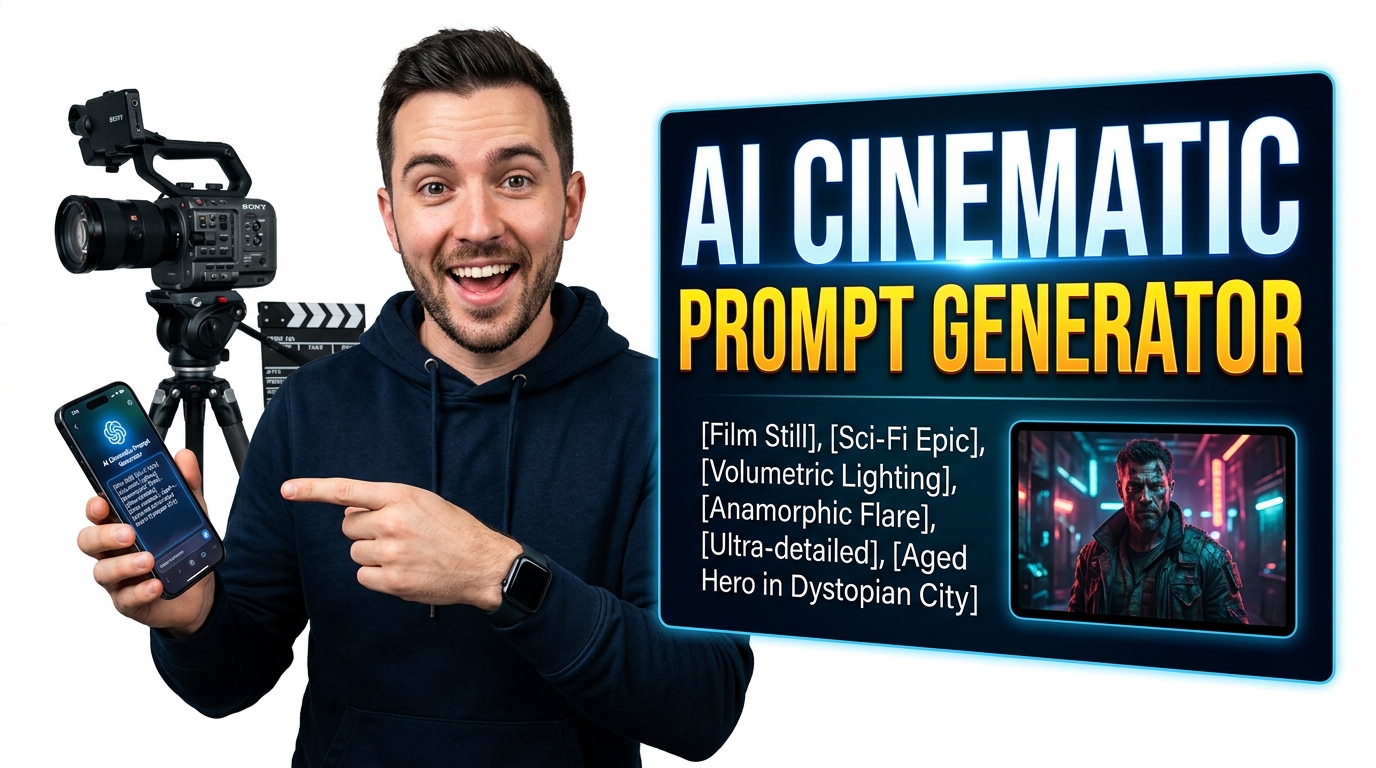
Free AI Cinematic Prompt Generator | Ultra-Detailed Prompts for Midjourney, Grok, Runway & More
Build ultra-detailed cinematic prompts in seconds with the Free AI Cinematic Prompt Generator. Multi-language input, global character vault, 20+ AI targets, advanced cinematography controls, and export-ready prompts for Midjourney, Grok, Runway, and more. 100% offline after load.
Table of Contents
Trying to get a specific look out of an image or video model but your prompts keep falling flat? Build a detailed cinematic prompt by choosing the shot type, lens, lighting, mood, colour grade and style, and get a polished description ready to paste straight into your generator. The tool is really a structured vocabulary: it exposes the film and photography terms that models respond to, from a low-angle wide shot to golden-hour rim lighting, so you are not guessing at the words that actually change the output. It suits anyone working with text-to-image or text-to-video tools who wants repeatable, controllable results rather than random luck, and it keeps a history of what you built so you can tweak one setting at a time. Everything is assembled in your browser, so nothing you type is uploaded and it keeps working with the network switched off.
🎬 Cinematic Prompt Studio Pro
| Term | Category | What it does to your shot |
|---|
The AI Cinematic Prompt Generator processes your native text arrays through strict regular expressions, automatically detecting stored characters without contacting remote databases.
This AI Cinematic Prompt Generator engine securely caches your character structures directly inside your browser’s local memory allocation, ensuring absolute privacy.
Client-side mathematical concatenation merges environmental data, camera angles, and character objects into highly optimized strings for visual models.
Initialize the AI Cinematic Prompt Generator vault by saving character names, ages, and clothing attributes into the local array.
Type your action sequence. The script parses the Document Object Model (DOM) and maps the input against your saved entities.
Execute the logic compiler to output structured command sequences formatted perfectly for image and video synthesis algorithms.
Last updated: July 2026
🔴 Building a scene the way a DP would
Start with three plain-English fields: who or what the subject is, where they are, and what is happening. Then set the look. The Camera and Look panel is not decoration — each dropdown changes the meaning of the frame. A low angle makes your subject dominant; an 85mm lens softens the background and isolates them; low-key lighting hides half the face; a bleach-bypass grade drains the warmth out of the whole thing. Pick deliberately and the model has something concrete to aim at.
Press Generate and you get three outputs at once. The image prompt is a comma-separated tag string for a still generator. The video motion prompt is written as prose, because video models read sentences rather than tags, and it names the camera move explicitly. The sound design cues are a starting point for whoever scores or mixes the shot. Input: a lighthouse keeper, a storm cliff, a full shot on an 85mm with low-key lighting. Output: a prompt that reads like a shot description rather than a wish list.
🟡 The shot list is where this earns its keep
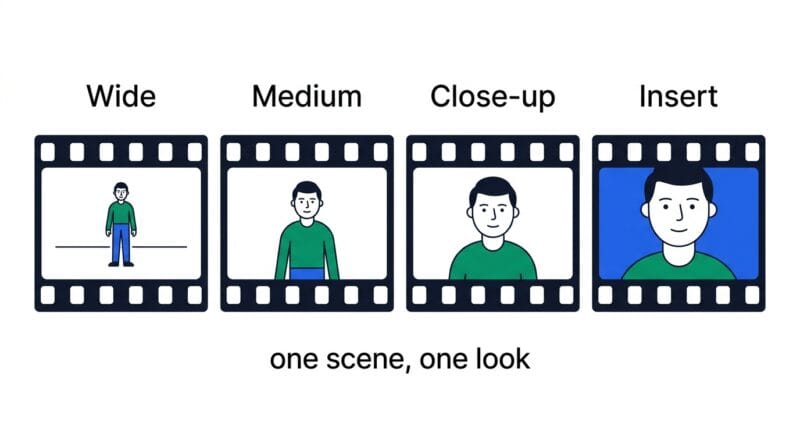
The single hardest problem in AI film-making is consistency. Generate four shots with four separately written prompts and you get four different people wearing four different coats. The Shot List tab solves this structurally: every shot you add inherits the exact subject, setting, lens, lighting, grade and film stock from your scene, and only the shot size, camera move and story beat change. That is precisely how coverage works on a real set — one look, many angles.
Press Load 4-shot preset and you get the classic coverage pattern: an establishing wide, a medium as the subject moves in, a close-up on the decisive moment, and an extreme close-up on a telling detail. Copy the full list and you have a shooting order you can feed to your generator one shot at a time. The Platform Formatter tab then reshapes the same scene for each destination — Midjourney gets its tag string with the aspect and negative flags attached, Stable Diffusion gets a separate positive and negative field, and the video models get plain prose. Same scene, four correct syntaxes, no manual rewriting.
🟢 Negatives, weights, and where this stops
The Negative and Weight Lab is deliberately restrained. Tick only the problems you are actually seeing — a wall of negatives dilutes the prompt and can distort the image more than the flaw you were trying to remove. The weight helper writes the bracket syntax for you, and the guidance holds: past about 1.5 a term starts warping everything around it. The length check exists because most image models weight the first forty to sixty words far more heavily than anything after, so a shorter, sharper prompt usually beats a longer one.
- 🔵 This writes prompts; it does not generate images. It is a prompt engineering studio, not a model. Take the output to Midjourney, Stable Diffusion, Sora, Veo, Runway or Kling and run it there.
- 🟠 No prompt guarantees consistency. Inheriting the scene makes character drift far less likely across a sequence, but diffusion models are probabilistic. Reusing a seed and a reference image is still the strongest lever, and that lives in your generator, not here.
- 🟣 Syntax moves. Flags and weighting conventions change between model versions. The formatter targets current common syntax; always check your generator’s own docs if a flag is rejected.
Once you have output, the rest of the pipeline is here too. Retouch or upscale the still in the Advanced Image Studio, cut the generated clips together in the Turbo Video Editor, and build the sound bed from those cues in the Audio Editor. If you would rather run a model locally instead of in the cloud, the Browser AI Models Directory lists what will actually fit on your machine. And if you want to understand why any of these words move the image at all, that is the subject of the companion guide on how AI image and video prompts really work
Does this tool generate the images?
No. It builds the prompt. You take that prompt to Midjourney, Stable Diffusion, Sora, Veo, Runway or Kling and generate there. No API key is needed here because nothing is sent anywhere.
How do I keep the same character across shots?
Use the Shot List tab. Every shot inherits your subject, wardrobe, setting and look, so only the framing changes. Combine it with a fixed seed in your generator for the strongest consistency.
Why are the image and video prompts written differently?
Image models respond well to comma-separated tags. Video models read descriptive prose and need the camera movement stated as an action. Feeding a tag list to a video model wastes it.
How many negatives should I use?
Only the ones fixing a problem you can actually see. A long negative list dilutes your positive prompt and often degrades the image more than the original flaw did.
What does the weight number in brackets do?
It tells the model to pay more or less attention to that term. Between 0.8 and 1.4 is the useful band; above roughly 1.5 the term starts distorting everything around it.
Does prompt length matter?
Yes. Most image models weight the opening forty to sixty words far more heavily. Put your subject and the most important look choices first, not buried at the end.
Do I need to know cinematography to use it?
No. The Reference tab explains what every shot type, lens, light and grade actually does to a frame, so you can choose on purpose rather than guessing.
Is anything I type sent to a server?
No. The whole studio runs in your browser tab, so unreleased concepts and client scripts stay on your machine. It keeps working with your connection switched off.