How AI Removes Backgrounds
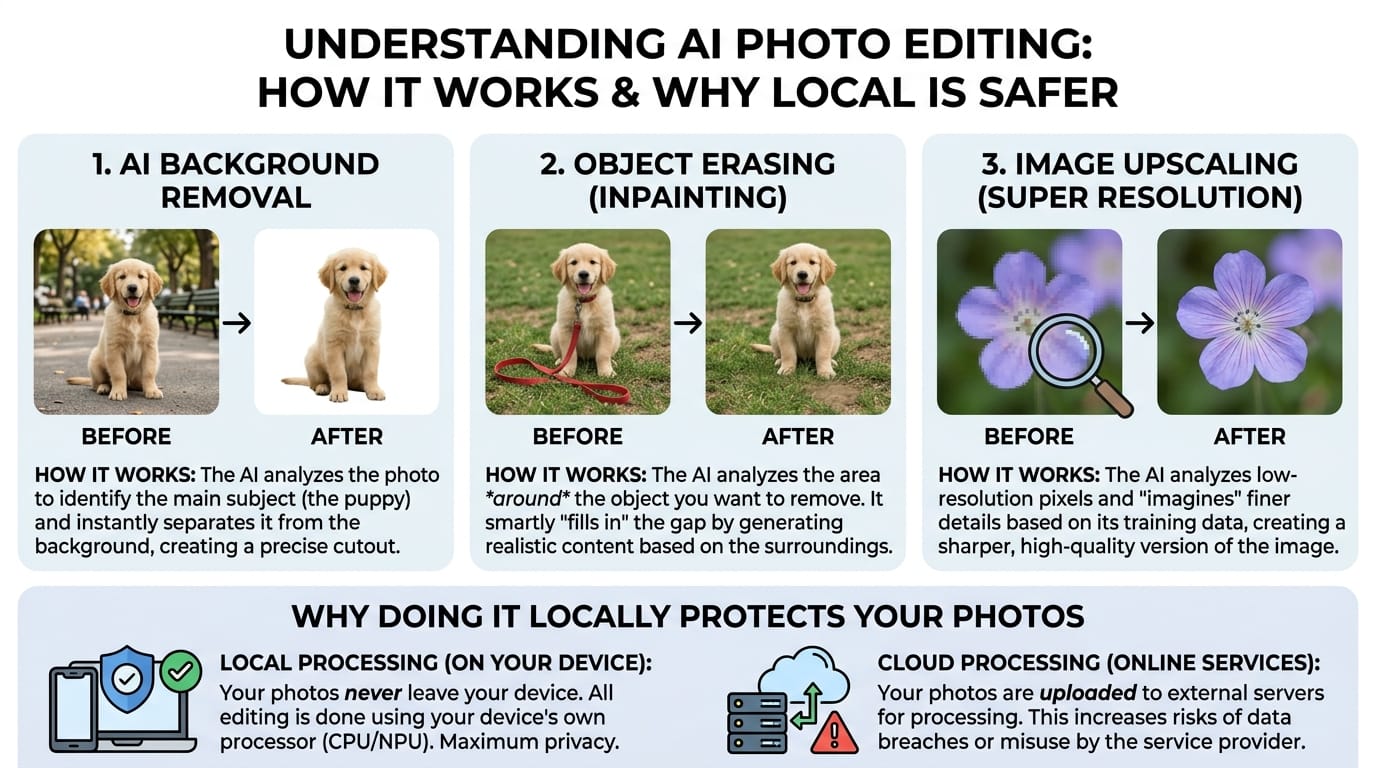
Three different AI techniques sit behind a simple “remove” button — segmentation, inpainting, and super-resolution. Here’s what each one is actually doing, and why running them in your browser matters.
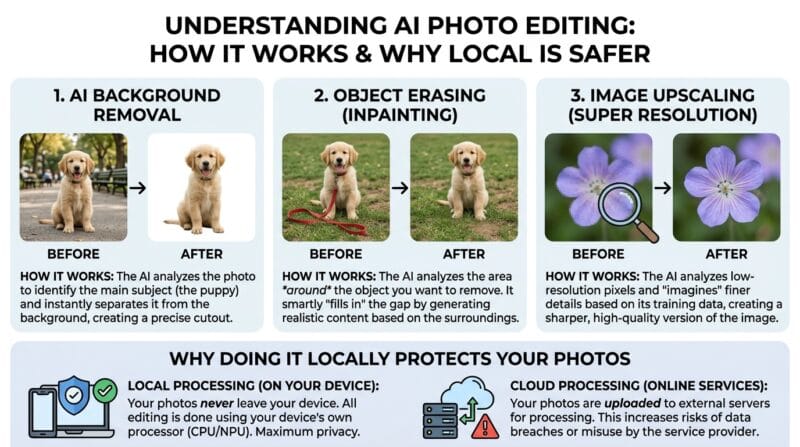
Table of Contents
Last updated: July 2026
🔴 Background Removal Is Really “Segmentation”
When a tool removes a background, it isn’t erasing anything at first — it’s answering a question for every single pixel: “are you part of the subject, or part of the background?” This is called image segmentation. A neural network trained on huge numbers of labeled photos learns the visual patterns that separate a person or product from whatever is behind them, and outputs a mask — a black-and-white map where white means “keep” and black means “drop.” The tool then makes the black areas transparent. The reason cut-outs fail around hair and glass is that those pixels genuinely are ambiguous; the model isn’t sure, and neither would you be if you zoomed in far enough.
🟡 Object Erasing Is “Inpainting”
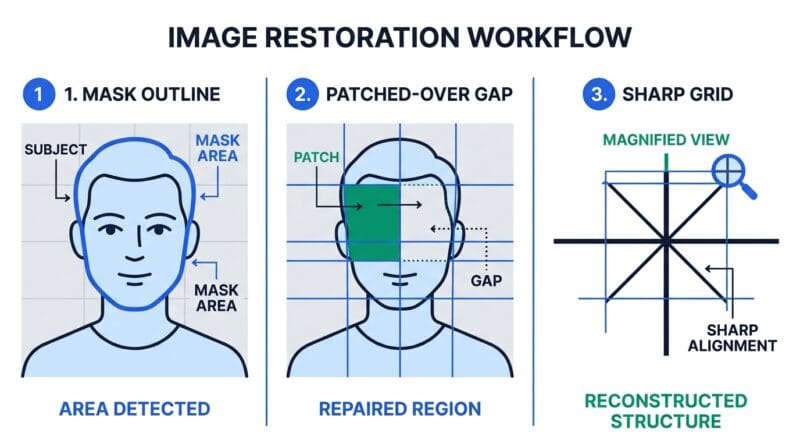
Erasing an unwanted object is a different problem. Once you brush over, say, a lamp post, there’s now a hole in the image — and something has to fill it. The technique is called inpainting, and it works by predicting what should plausibly be behind the removed object based on the surrounding pixels. If the lamp post stood against a plain blue sky, the fill is easy and invisible. If it stood in front of a detailed brick building with windows, the model has to invent convincing brick and often can’t, which is why erasing works best over simple, repetitive backgrounds.
🟢 Upscaling Is “Super-Resolution”
Enlarging an image the naive way just stretches existing pixels, which is why zoomed photos look blocky. AI upscaling, or super-resolution, instead predicts new detail that plausibly belongs between the original pixels, based on patterns learned from millions of sharp images. It’s genuinely inventing texture, not recovering lost data — which is why an upscaled photo can look crisp yet slightly different from a true high-resolution original. Running a 2× model twice gets you to 4×, which is why the biggest jump takes the longest.
Why It Runs on Your Graphics Card
All three tasks are enormous numbers of small, parallel math operations, which is exactly what a graphics processor is built for. Tools like this one use TensorFlow.js to run the models on your GPU through the browser’s WebGL layer — no server, no install. That’s also why a heavy 4× job can warm up your laptop: your own hardware is doing the work.
🔴 The Privacy Angle Most People Skip
Here’s what “runs in your browser” really buys you. A server-based editor has to receive your image first, which means your photo — possibly of a person, an ID document, or an unreleased product — exists on hardware you don’t control, under a policy you probably didn’t read. A local tool never transmits the file at all. For anyone handling sensitive images, that’s not a nice-to-have; it’s the difference between a private edit and an upload you can’t take back. The trade-off is speed: your device does the computing, so a big job is slower than a data-center would be. For most everyday photos, that’s a trade worth making.
If you want to try these techniques yourself, the Advanced Image Studio covers resizing and compression, and you can browse everything that runs locally in our guide to client-side offline tools.
Is background removal the same as object erasing?
No. Removal (segmentation) separates subject from background; erasing (inpainting) fills a hole left by a deleted object. They solve different problems.
Does AI upscaling recover the original detail?
Not exactly. It predicts plausible new detail from learned patterns, so the result looks sharp but isn’t a perfect reconstruction of a true high-res photo.
Why does erasing fail on busy backgrounds?
Inpainting invents what’s behind the object. Plain backgrounds are easy to fake; detailed scenes with structure are much harder to reconstruct convincingly.
What is a “mask” in background removal?
It’s a black-and-white map marking which pixels to keep and which to drop. The tool turns the “drop” pixels transparent.
Why does my device get warm during upscaling?
The AI model runs on your GPU through the browser. Heavy jobs use real processing power locally, which generates heat — a sign it’s working offline.
Is local processing really more private?
Yes. Your image is never transmitted, so it never sits on someone else’s server. The cost is speed, since your own hardware does the work.