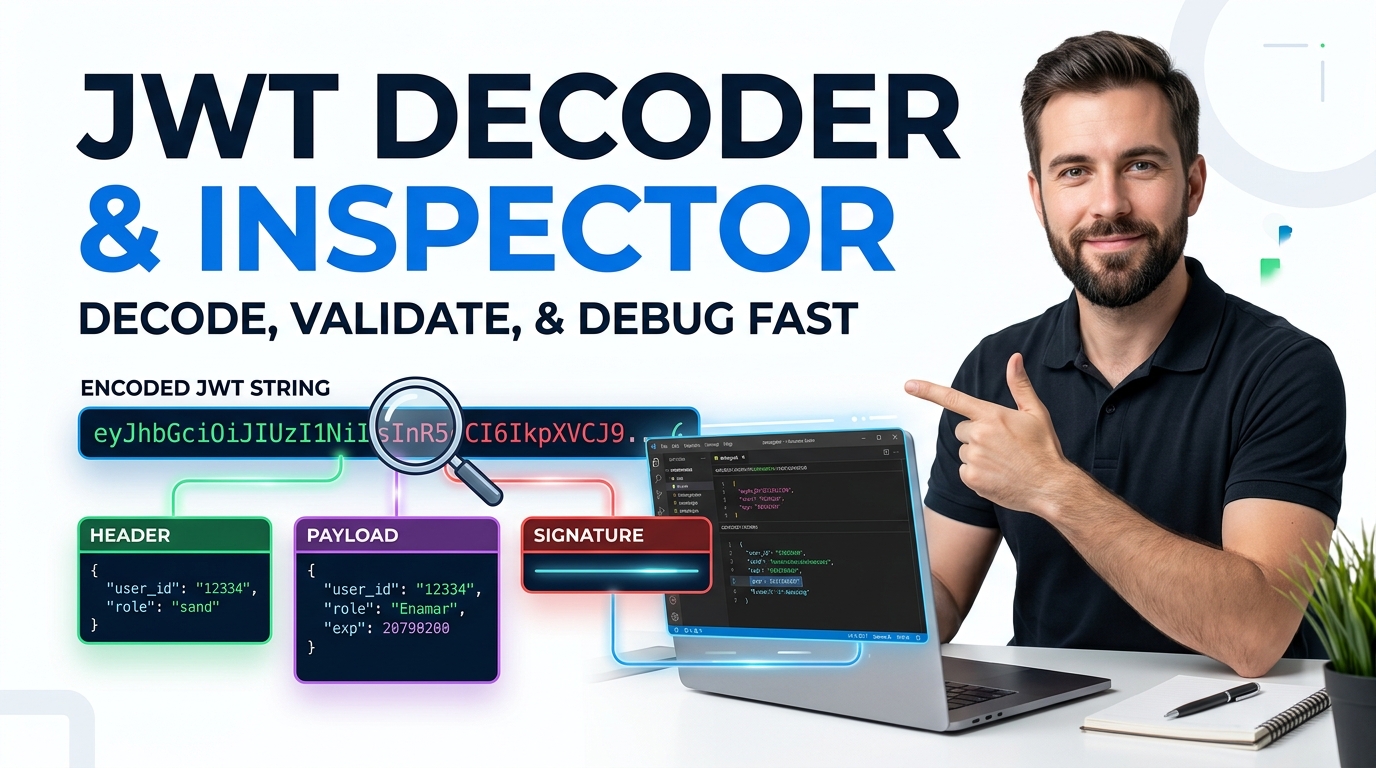
All-in-One JWT Studio | Decode, Sign & Verify Tokens Offline
Meta Description: A free offline JWT studio to decode, sign, verify and security-audit JSON Web Tokens in your browser. HS256/384/512 support, no token ever uploaded.
Table of Contents
Got a JWT back from an auth response and need to see what is actually inside it? Paste the token to read its header and payload as plain JSON, check which signing algorithm was used, and see the exact expiry time. The token is decoded in your browser and never sent anywhere, so it is safe to inspect access tokens you would never paste into a random website.
Paste any JSON Web Token to instantly split and decode its three parts. Everything runs in your browser — nothing is uploaded.
ℹ️ The text below is just an example placeholder (not real data) — paste your own token, or click 💡 Load Sample above to fill in a working example.
Awaiting input...
Awaiting input...
Awaiting input...
Need full timezone tables and date→epoch conversion? Use the dedicated Unix Epoch Time Converter.
Build and sign a brand-new token. Edit the header and payload as JSON, choose an HMAC algorithm, add your secret, and generate a valid signed JWT locally.
Awaiting generation...
Check whether a token's signature is authentic. The algorithm is read from the token header — HS256, HS384 and HS512 are supported, fully offline.
A full claim-by-claim and security audit of your token: expiry status, timing claims, and common JWT attack surfaces such as the alg:none bypass.
Anatomy of a JWT
- Header (red) — algorithm
- Payload (purple) — claims
- Signature (blue) — trust
Registered Claims
exp — expiration time
nbf — not valid before
iat — issued at
iss — issuer
sub — subject
aud — audience
jti — token ID
Related Tools
Decode and read any token
Paste a token and the studio splits it into header, payload and signature, colour-coded and pretty-printed. Each box has its own Copy button, so you can lift just the payload JSON into a bug report without hand-editing.
Sign your own test tokens
The Encode & Sign tab builds a real, signed token from header and payload JSON plus a secret. HS256, HS384 and HS512 are all supported, so you can mint a valid token for a local test without standing up a backend first.
Verify and audit for safety
Verify Signature checks whether a token is authentic for a given secret. Token Health then reads every registered claim and flags risks like an expired token or an alg:none header that should never be trusted.
How to Use the JWT Studio
Decode & Inspect
Paste a token in the first tab, or press 💡 Load Sample. The three parts appear instantly with copy buttons.
Encode & Sign
Edit the header and payload JSON, pick HS256/384/512, add a secret, then press Generate Signed JWT.
Verify Signature
Drop a token and its secret into the Verify tab. A green Verified or red Invalid badge tells you the truth.
Token Health
Run the audit for a claim-by-claim breakdown and security findings before you rely on a token in production.
Last updated: July 2026
🔴 Reading a token when an API keeps returning 401
You are wiring up an API call, the request looks right, and the server keeps answering 401 Unauthorized. Nine times out of ten the answer is sitting inside the token you are sending, and you just cannot see it because it looks like one long smear of letters. That is the moment this JWT studio earns its place on your bookmarks bar.
Paste the token into the Decode & Inspect tab. Say you drop in a token whose payload decodes to {“sub”:”user_9921″,”role”:”viewer”,”exp”:1735689600}. Two things jump out at once. First, the role is “viewer”, not “admin”, so the endpoint you are hitting may simply be refusing a user who lacks permission. Second, that exp value is an epoch timestamp, and the Quick Epoch Helper right below the output turns it into a readable local date. If that date is in the past, your token expired and no amount of retrying will fix it. You needed a fresh one all along.
Everything here runs inside your browser. The token you paste is decoded with native JavaScript, and nothing is sent to a server. That matters, because a JWT often carries a user id, an email, or session detail you would never want to paste into a random online box that quietly logs its inputs.
🟡 Signing your own test tokens without a backend
Older decoders stop at reading. This one also writes. Open the Encode & Sign tab when you need a valid token for a local test and do not want to spin up an auth server just to get one.
You edit two JSON boxes. The header usually stays as {“alg”:”HS256″,”typ”:”JWT”}. The payload is yours to shape: add a sub, a role, maybe an exp a few hours ahead. Pick the algorithm, type a secret such as your-256-bit-secret, and press Generate Signed JWT. Out comes a complete three-part token, signed with HMAC through the browser’s Web Crypto API. Paste that same token straight into the Verify tab with the same secret and you will watch it come back Verified, which is a satisfying way to confirm the round trip works.
A quick, real use-case: front-end developers building against a mocked API often need a token that “looks real” so their auth guard code runs. Minting one here takes about ten seconds. Another: QA testers can craft an already-expired token on purpose to check that the app logs the user out gracefully instead of showing a broken screen.
🟢 Catching an expired or tampered token before it wastes an hour
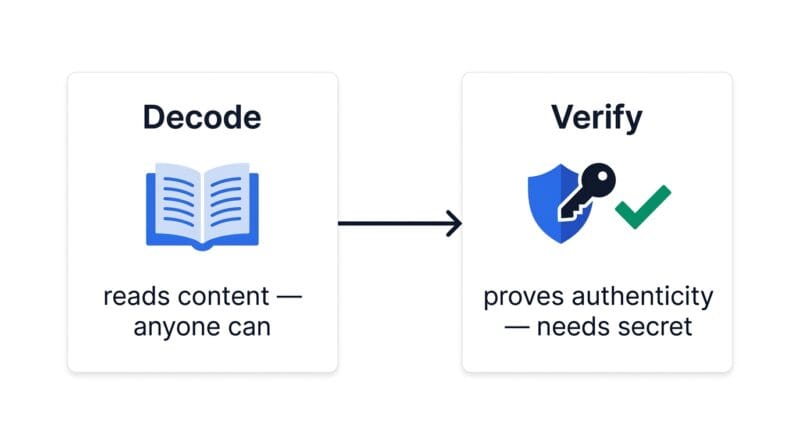
Decoding shows you what a token says. Verifying proves whether you can believe it. These are different jobs, and mixing them up is the single most common JWT mistake. A token can decode perfectly and still be a forgery, because anyone can base64-decode the payload. Only the signature, checked against the right secret, tells you the token was issued by who it claims and has not been edited in transit.
The Verify Signature tab handles that check for HS256, HS384 and HS512, reading the algorithm from the token’s own header. The Token Health tab goes one step further. It lays out every registered claim, marks an exp as ACTIVE or EXPIRED, warns when there is no expiry at all, and raises a loud flag if the header says alg:none, which is an unsigned token that a careful server must reject. If you want to understand the theory behind those attacks, our companion piece on securing keys during client-side data processing walks through why signatures matter.
🟢 A short checklist for a token that “should work but doesn’t”
🔵 Decode it first and read the payload with your own eyes. Wrong role or wrong sub explains most 403s.
🟠 Convert the exp and nbf claims to local time. Expiry and clock skew are quiet culprits.
🟣 Verify the signature with the secret your server actually uses. A mismatch means a wrong key or an altered token.
🔴 What this studio will not do, and where to go instead
Honesty saves you time, so here are the limits. Verification and signing cover the HMAC family (HS256/384/512). RS256 and ES256, which use a public and private key pair, are read and audited but not signed here, because signing those safely belongs on a server that holds the private key. The studio also does not decrypt anything, for the simple reason that a standard JWT is signed, not encrypted; its payload is readable by design. If you assumed the payload was secret, that assumption is the bug.
When your work drifts next door, the site has focused tools ready. For raw hashing and HMAC digests outside the JWT format, use the Secure Hash Generator. For plain base64 work, the Base64 Encoder / Decoder handles files and UTF-8 text, and for turning any timestamp into a date the Unix Epoch Time Converter gives you full timezone tables. The token format itself is defined in the official IETF RFC 7519 specification, and the browser signing used here is the standard Web Crypto SubtleCrypto API documented by MDN.
Is my token or secret sent anywhere?
No. Decoding, signing and verification all run in your browser through the Web Crypto API. Nothing you paste leaves your device, which is why it is safe to inspect production tokens here.
What is the difference between decoding and verifying?
Decoding just reads the base64 content, which anyone can do. Verifying checks the signature against a secret to prove the token is authentic and unchanged. A token can decode fine and still fail verification.
Which algorithms can it sign and verify?
The HMAC family: HS256, HS384 and HS512. Tokens using RS256 or ES256 can be decoded and audited, but signing those requires a private key and belongs on a server.
Why does my valid-looking token still fail?
Usually the secret does not match, the token expired, or a single character changed during copy-paste. Run Token Health to see the expiry status and check the secret you entered against the one your server uses.
Is the payload encrypted?
No. A standard JWT is signed, not encrypted, so the payload is readable by anyone. Never place passwords or secrets in a payload. The signature protects against tampering, not against reading.
What does the alg:none warning mean?
It means the token declares no signature. A server that accepts alg:none can be tricked into trusting a forged token, so the health check flags it as critical. Real tokens should always be signed.
Can I create an expired token on purpose?
Yes. In Encode & Sign, set the exp claim to a past epoch value and generate the token. It is a handy way to test that your app logs users out cleanly when a token lapses.
Does it work offline?
Once the page has loaded, the studio keeps working without a connection because all the logic lives in your browser. There are no server round-trips for any tab.
What should I do with the copied JSON?
The per-box Copy buttons give you clean, formatted header or payload JSON. It pastes neatly into bug reports, tickets, or a code comment so teammates can see exactly what a token contained.