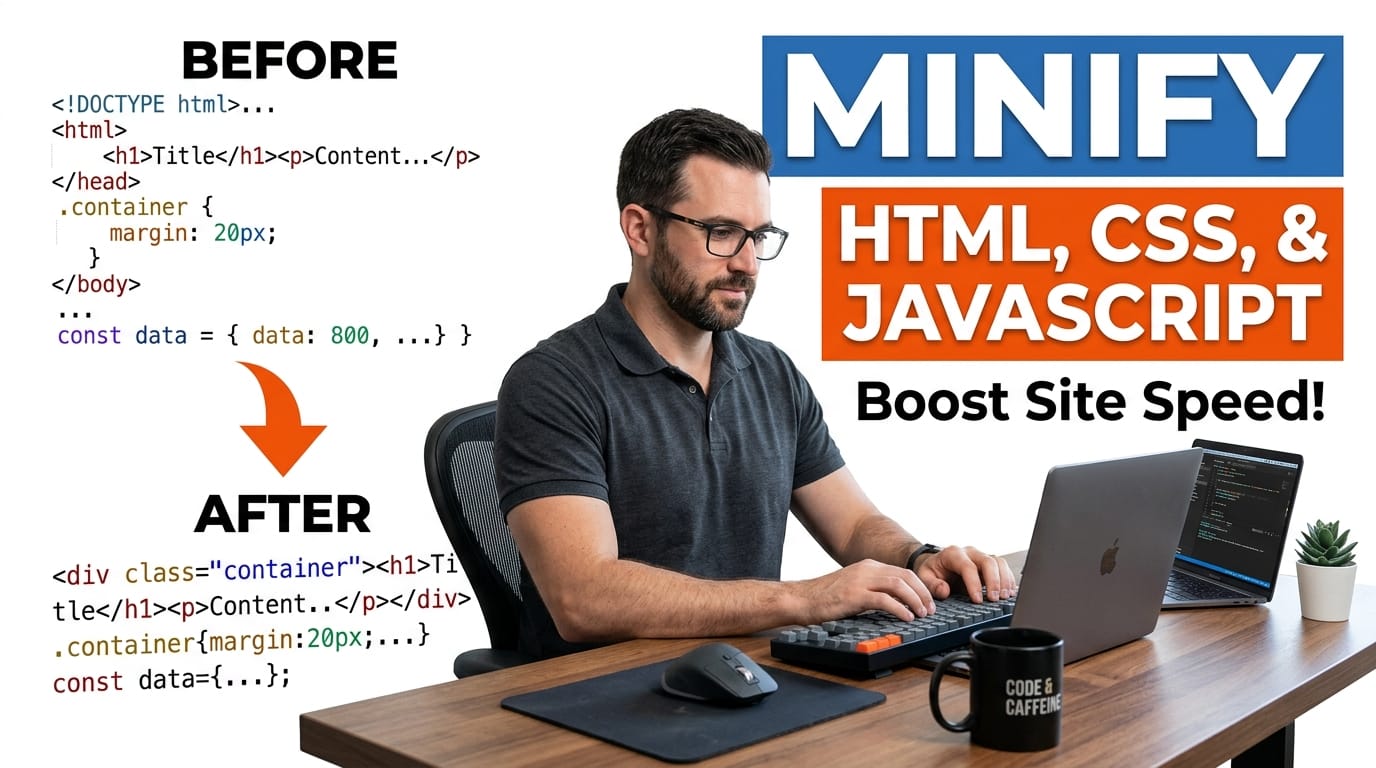
How to Minify HTML, CSS, and JavaScript
Minifying code reduces file size, speeds up page load, and directly improves PageSpeed Insights scores. This guide covers how browser-based minification works, why Woody Snippets bypass WordPress caching plugin optimisation, and how to recover your snippet code from Woody export JSON files without touching a command line.
Table of Contents
Last updated: June 2026
🔴 What Code Minification Does — and What It Doesn’t
Minification removes content that the browser doesn’t need to execute the code correctly. Developer comments, blank lines, leading spaces in indented CSS blocks, spaces around property colons — none of these affect how the browser interprets the code. They exist for human readability. Stripping them produces an output that is functionally identical but smaller. A CSS file minifier removes a /* Card component */ comment: the browser never read it anyway. Collapsing padding: 15px ; to padding:15px; removes three characters per property — multiplied across hundreds of declarations in a large stylesheet, it adds up.
What minification does not do: it does not rename variables, does not change logic, does not merge separate CSS rules, and does not tree-shake unused code. Those are separate processes — dead code elimination, bundling, and transpilation — typically handled by build tools like Webpack or Vite. Browser-based minification like this tool handles the simpler and universally safe operation: whitespace and comment removal. The output always produces the same visual result in the browser as the original.
🟡 Why Woody Snippets Bypass WordPress Caching Plugin Minification
WordPress performance plugins like LiteSpeed Cache, WP Rocket, W3 Total Cache, and Autoptimize minify assets using one of two approaches: they process enqueued scripts and stylesheets registered via wp_enqueue_style() and wp_enqueue_script(), or they scan the final HTML output and apply regex-based minification to style and script blocks. Woody Snippets HTML type content is injected into the page through the the_content filter or directly into the theme template — it arrives as raw HTML strings.
The issue is timing and content type. By the time LiteSpeed Cache processes the page, the Woody snippet content is already merged into the HTML document as inline markup. Caching plugins that scan for style blocks can sometimes minify inline CSS, but they frequently miss style blocks inside Woody snippet HTML because those blocks are wrapped in other divs and don’t match the top-level patterns the scanner looks for. The browser receives the page with the full unminified snippet content exactly as stored in the Woody database. Pre-minifying your snippet code before pasting it into Woody is the only reliable solution — and our Code Minifier Pro Studio handles this in one click.
🟢 HTML Minification — What Gets Removed and What Stays
HTML minification is the most conservative of the four languages. The minifier removes HTML comments (), collapses multiple whitespace characters to a single space, removes whitespace between closing and opening tags (> < becomes ><), and removes spaces around attribute value equals signs (class = "x" becomes class="x"). These are all safe transformations. The one area to watch: space between inline elements. If you have two span elements separated by a space character — common in nav menus and inline icon+text patterns — that space affects rendering. Aggressive whitespace collapse removes it, pushing the elements together. The minifier here preserves a single space between text nodes to reduce this risk, but test your output in a browser before replacing the original in Woody.
🟢 CSS Minification — Declarations, Selectors, and Comments
CSS minification removes /* comment */ blocks, collapses whitespace inside and between declarations, removes the semicolon before closing braces (valid in CSS — the last declaration in a block doesn’t require a semicolon), and collapses comma-separated selectors. A typical PTH tool snippet with 300 lines of scoped CSS — variable declarations, card styles, button states, media queries — compresses to 40–60 lines. The percentage reduction varies: CSS with many comments and long selector chains compresses more aggressively than terse utility-style CSS. The stats bar shows exactly how much was saved per run.
Important: this minifier does not vendor-prefix properties, merge duplicate selectors, or remove unused rules. A declaration like -webkit-appearance: none stays exactly as written. The output is a direct compression of the input — no semantic transformation of the CSS structure. This is intentional: semantic CSS minification requires understanding which rules apply to which elements, which needs access to the full DOM. A browser-side tool without DOM access can only safely compress at the text level.
🟢 JS Minification — Safe Removal vs Unsafe Transforms
JavaScript minification is the most complex. Single-line comments (// comment) and block comments (/* comment */) are removed. Whitespace is normalised. Spaces around operators, braces, parentheses, commas, and semicolons are collapsed. This tool deliberately stops here — it does not rename local variables to single letters (mangling), does not inline constants, does not remove dead code branches, and does not collapse string concatenations. These transforms require parsing the JS into an Abstract Syntax Tree (AST), which can’t be done safely with regex alone in a browser environment.
One specific rule for PTH v3.0 tool code: the data-no-optimize="1" data-no-minify="1" attributes on script tags protect them from WP/LiteSpeed processing. This means pre-minifying the JS inside a Woody snippet is actually more important for those tagged scripts — the caching plugin is explicitly instructed not to touch them, so manual pre-minification is the only path to reducing their size. Strip your comments with this tool, copy the minified JS back into the Woody snippet, keep the data-no-optimize attributes intact on the script tag, and the compressed version is what the browser receives. Read more about the full v3.0 script tag protection system in our developer tools guide.
🟡 Woody JSON Format — What the Extractor Does at the Technical Level
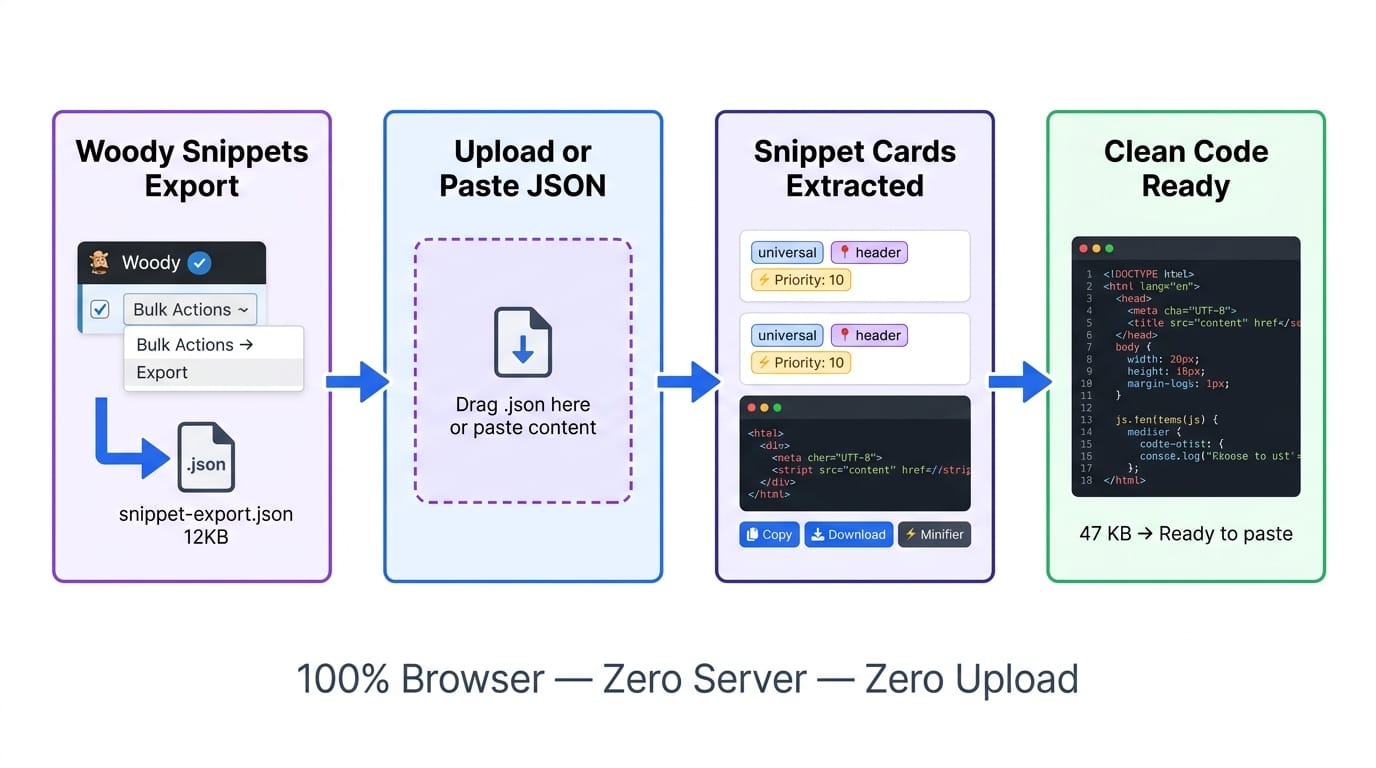
The Woody export JSON follows a consistent structure. At the top level: generator (plugin name and version), date_created (export timestamp), and snippets (array of snippet objects). Each snippet object contains at minimum: name (URL slug), title (display name), content (the raw code as a JSON-escaped string), location, type, filters, scope, and priority.
The content field is where the code lives — stored as a JSON string with \r\n for Windows line endings and escaped quotes. When JSON.parse() processes the file, it automatically unescapes all these sequences back to their original characters. The extractor then normalises \r\n to \n for clean display, trims leading and trailing whitespace, and calculates the byte size of the cleaned code using new Blob([code]).size. Line count comes from code.split('\n').length. The 300-character preview uses code.substring(0, 300) — click Show Full to expand to the complete code in the same card.
- 🔵 type: “universal” — HTML/CSS/JS combined snippet. Download as
.html. Most PTH tool snippets are this type. - 🟠 type: “php” — PHP code snippet. Download as
.php. Paste into Woody PHP field without openingtag. - 🟣 location: “header” vs “shortcode” — header snippets load sitewide on every page; shortcode snippets only where the
[wbcr_snippet]: PHP snippets error (not passed the snippet ID)shortcode appears. This metadata is shown in the badge so you know exactly how to recreate the snippet.
Do WordPress caching plugins minify Woody snippet content automatically?
Generally no. Woody snippets inject HTML directly into the page as raw strings — they bypass the asset pipeline that caching plugins monitor. Inline style blocks inside Woody snippet HTML are sometimes processed by plugins that scan full HTML output, but this is unreliable. Pre-minifying your snippet code before adding it to Woody is the dependable approach.
What’s the difference between minification and compression (gzip)?
Minification permanently removes characters from the source file — the result is a smaller file that still makes sense as code. Gzip/Brotli compression encodes the file for transfer and the browser decodes it before parsing. They work at different levels and are complementary — you minify first, then the server compresses the already-smaller file for transfer. LiteSpeed handles gzip/Brotli automatically; this tool handles the minification step.
Is it safe to minify code that uses data-no-optimize script tags?
Yes — the data-no-optimize="1" data-no-minify="1" data-cfasync="false" attributes go on the script tag itself, not inside the JS code. The minifier processes the JS content inside the tag — whitespace and comment removal — and leaves the tag’s HTML attributes unchanged. Keep those attributes intact when you paste the minified JS back into Woody.
Can I recover all my Woody snippets if I lose access to WordPress?
If you export regularly using Woody’s built-in export (Snippet Library → Bulk Actions → Export), you have a JSON file backup of all snippet content, metadata, settings, and priorities. This JSON Extractor tool lets you read that backup and recover the actual code from each snippet — even without access to the WordPress database. Keep dated exports as a safety routine alongside database backups.
Why does the HTML beautifier sometimes produce unexpected indentation?
The beautifier uses brace and tag-depth tracking with a list of known void elements. It handles standard block-level nesting correctly but can miscount depth in complex mixed HTML — especially when tags span multiple lines, or when self-closing SVG and custom elements appear. For precision reformatting of complex HTML, use a VSCode extension with Prettier configured. This tool’s beautifier is designed for quick readability passes on typical CSS/JS/JSON code.
How much file size reduction should I expect from minifying a PTH tool snippet?
A typical PTH tool snippet with 400 lines of CSS, 600 lines of HTML, and 300 lines of JS (around 30–50KB total) compresses to 18–30KB after minification — roughly 35–45% reduction. CSS compresses most aggressively because PTH tool CSS uses verbose selector scoping and lots of whitespace. The stats bar shows exact bytes saved and percentage after each minify run.
Does the JSON extractor work with Woody PHP Code Snippets exports?
Yes. Both the regular Woody Snippets plugin and the PHP Code Snippets (Woody) plugin use the same JSON export format with the snippets array structure. PHP type snippets appear with a “php” badge. The extractor reads the content field regardless of snippet type — universal HTML snippets and PHP snippets are handled identically.
What does the priority number in the snippet badge mean?
WordPress action hooks run in priority order — lower numbers run first, higher numbers run later. Woody uses this for snippet injection order. Priority 1 runs before priority 10, which runs before priority 100. The Golden Code global CSS snippet typically runs at priority 1 (first) so its styles apply before tool-specific CSS. The priority badge in the extractor helps you recreate the correct execution order when reimporting snippets.
Can I use this to minify the CSS inside a Woody JSON file in one step?
Not directly — the JSON Extractor gives you the raw snippet content, and the Minifier processes code. Use both in sequence: extract the snippet with the Extractor, click ⚡ Send to Minifier on the snippet card, select the CSS or HTML language tab, click Minify, and download or copy the result. This two-step flow takes about 15 seconds per snippet and is the recommended workflow for pre-minifying Woody content.