Quick Guide to Merging and Trimming MP4 Videos Offline
Looking for a secure, free offline video editor? Learn how to easily merge, trim, reverse, and adjust MP4 videos directly in your browser without internet access.
Table of Contents
Last updated: July 2026
🔴 Most video edits are small — this handles those
You record a five-minute screen share and only need the middle two minutes. You shoot three short clips at a party and want them as one file to send on WhatsApp. Loading Premiere Pro or DaVinci Resolve for that is overkill; they take a minute just to open and can hold several gigabytes of memory. This tool does the quick jobs directly on the page: drop your MP4 in, cut or join it, adjust the colour if you want, and export. It works as an offline video editor, so once the page has loaded you can switch off your Wi-Fi and keep going.
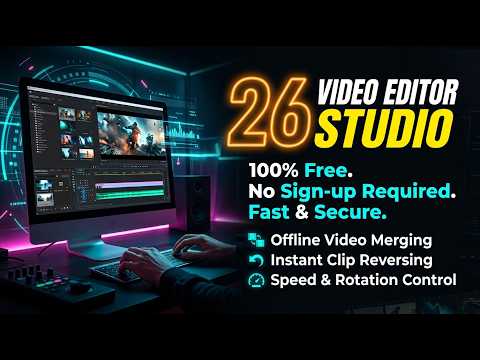
The scope is deliberately narrow: trimming a clip to a start and end point, merging several clips into one, reversing playback, and basic brightness, contrast, and saturation. That is the whole feature set. It will not replace a full timeline editor with keyframes, transitions, and audio mixing, and that is the point — it stays fast for the edits that do not need a heavy program.
🟡 A real run: three phone clips into one file
Say you filmed three clips at an event on the same phone: 12 seconds, 40 seconds, and 8 seconds, all in H.264 MP4. Here is what the actual workflow looks like.
- 🔵 Drop all three files onto the import area. They line up in order in the storyboard.
- 🟠 Drag them into the sequence you want, then trim the dead space off the front of the 40-second clip using the start handle.
- 🟣 Hit export. The tool joins them into one MP4 and hands you the download straight away.
Input: three separate 720p files totalling about 60 seconds. Output: one continuous MP4 at roughly the combined size, with no watermark and no account. The join is clean here because all three clips came from the same phone, so they share a resolution and frame rate.
🟢 Why matching formats matters
The merge is happiest when every clip shares the same resolution, frame rate, and codec. Modern phones record H.264 MP4 by default, which is why phone footage joins without fuss. Mix a 30fps clip with a 60fps one, or a portrait clip with a landscape one, and the finished file can jump or letterbox. If your clips come from different cameras, make them consistent before you merge.
🔴 Where people get stuck the first time
A few things catch new users out. None of them are bugs — they come from how a fully local tool has to work.
- 🔵 Wrong container. The tool expects MP4. Drop in a .mov, .mkv, or .avi and it may refuse to load, or import without audio. Convert to MP4 first.
- 🟠 Expecting an autosave. There isn’t one. Because your browser reads the file locally through the standard File API and holds it in memory, closing the tab mid-export means starting over. Finish the export before you navigate away.
- 🟣 Huge 4K files on a modest laptop. The work happens in your device’s memory, so a two-gigabyte 4K clip can make the tab crawl or crash. Keep 4K edits short, or downscale first.
- 🔵 Reversing a long clip. Reversing has to hold the frames to play them back to front, so an 8-second reverse is instant while a five-minute one is heavy.
Honest limits worth knowing
This is a light editor, not a studio. There is no multi-track audio, no transitions, no text overlays, and no keyframe animation. Export speed depends entirely on your own CPU and RAM, because no server is doing the work — which is exactly why nothing ever uploads. It runs on phones, but keep clips short so a mobile browser does not run out of memory. If you need full production features, this is not your tool; if you need a fast, private cut-and-join, it is.
If joining clips is your main task rather than trimming, the merger-focused editor is worth a look. And if your exports come out larger than you expected, our guide to shrinking MP4 file size pairs well with this offline video editor.
Does it add a watermark to my video?
No. The exported MP4 is exactly what you see on the canvas, with no branding stamped on it. The tool is free for personal and commercial use.
Are my files uploaded to a server?
No. The clip is read and processed inside your browser tab using your own device’s memory. It never leaves your computer, which is why you can edit with the internet switched off.
Which file formats can I import?
H.264 MP4 works best and is what most phones and cameras record. Formats like .mov, .mkv, and .avi may not import cleanly; convert them to MP4 first for stable trimming and merging.
Is there a file size limit?
There is no server-side limit because there is no server. The real limit is your RAM. Small 720p and 1080p clips are fine; very large 4K files can slow down or crash the tab on a low-memory device.
How do I reverse a clip?
Select the clip in the storyboard and use the reverse toggle in the clip inspector. Short clips reverse instantly; long clips take longer because every frame has to be held and reordered.
Do I need Wi-Fi while editing?
Only for the few seconds it takes to load the page. After that you can disconnect and finish your trim, merge, or export with no connection at all.
Does it work on a phone?
Yes, the interface is responsive and runs in modern mobile browsers. Keep clips short, since a phone has less memory than a laptop and long edits can freeze the browser.
Can I add text, transitions, or extra audio tracks?
No. This is a focused tool for trimming, merging, reversing, and basic colour adjustment. For titles, transitions, and multi-track audio you’ll need a full desktop editor.