
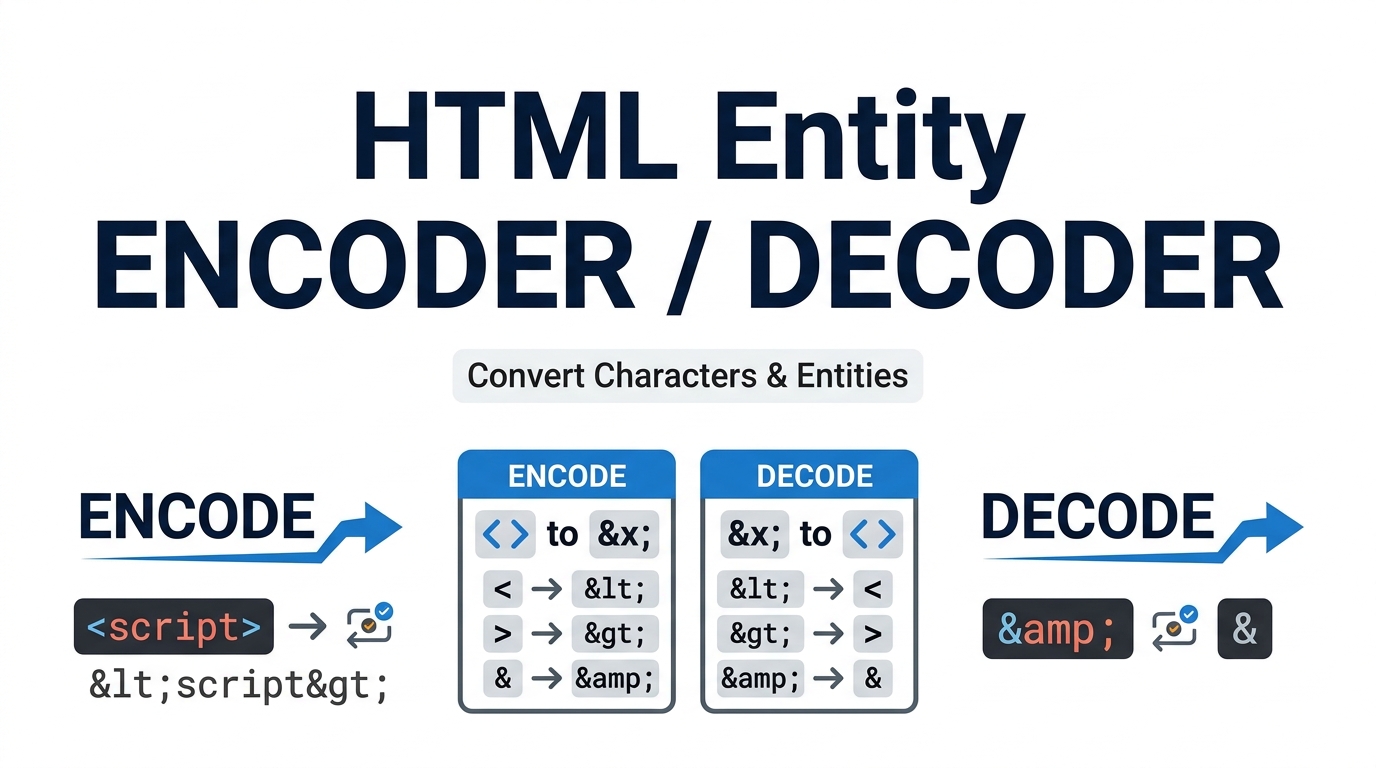
HTML Entity Encoder & Decoder
Safely encode and decode HTML entities, CSS escapes, and JS Unicode offline. Perfect for web developers displaying code snippets securely without breaking layouts.
Table of Contents
⌨️ HTML Entity Studio
Why use an Encoder?
When displaying programming tutorials or code blocks on your website, browsers will interpret symbols like < and > as actual HTML tags. Encoding converts them into safe text strings.
Common HTML Entities
| Char | Entity Name | Entity Number |
|---|
innerHTML, use the JS Unicode format. If injecting via a CSS content: "" rule, use the CSS Escape format.🛡️ Safe Code Display
Convert hazardous characters like brackets and quotes into safe HTML entities so you can display raw code snippets on your website without breaking the layout.
🔄 Bi-Directional Converter
Instantly switch between encoding raw text into safe entities, or decoding heavily obfuscated HTML entities back into clean, readable text strings.
⚙️ Advanced Escapes
Go beyond basic HTML. Generate highly specific CSS Escapes (\003C) and JavaScript Unicode Escapes (\u003C) for dynamic DOM injection and styling.
HOW TO USE THE ENTITY STUDIO?
Select Mode
Choose “Encode” if you want to turn code into safe text, or choose “Decode” if you have safe text that you want to revert back to functional code.
Choose Format
Use the dropdown menu to select your target output format: Standard HTML Entities, CSS Escapes, or JavaScript Unicode strings.
Copy Result
Paste your content into the top text box. The processed, web-safe string will appear instantly in the bottom box. Click “Copy Result” to copy it to your clipboard.
Read Full Guide: Understanding HTML Entities
🛡️ Why Do We Need HTML Entities?
When building web pages, certain characters are “reserved” by the browser because they have structural meaning. The most common examples are the less-than (<) and greater-than (>) signs, which are used to create HTML tags. If a blogger or technical writer wants to write a tutorial explaining how to use a <div> tag, they cannot simply type those characters into their Content Management System (CMS). If they do, the web browser will interpret it as actual code, rendering it invisible to the reader and potentially breaking the entire layout of the page.
To safely display these reserved characters as readable text, developers must convert them into specific text strings known as entities. Utilizing a reliable html entity encoder ensures that your code snippets are displayed perfectly, maintaining the visual integrity of your educational content and tutorials.
⚙️ How Encoding Prevents XSS Attacks
Beyond displaying tutorials, entity encoding is a fundamental concept in cybersecurity. Cross-Site Scripting (XSS) is a vulnerability where malicious users inject harmful JavaScript into a website via input forms or comment sections. If a user submits <script>alert('Hacked!');</script> and the server displays it without encoding, the browser will execute the harmful script.
By passing all user-generated content through an encoder, the dangerous tags are neutralized. The script tag is converted to <script>, rendering it as harmless text rather than executable code. The Prime Tool Hub Entity Studio allows developers to test these conversions offline before implementing them in backend logic.
🔤 Beyond HTML: CSS and JS Escapes
Modern web development requires more than just standard HTML entities. Our studio provides advanced conversion formats for specific development scenarios:
- CSS Escapes: If you want to dynamically insert a special character (like a font-awesome icon or a structural bracket) using the CSS
content: ""pseudo-element, you cannot use HTML entities. You must use a CSS Hex Escape. For example,<becomes\003C. - JavaScript Unicode: When manipulating the Document Object Model (DOM) directly via JavaScript, injecting raw HTML strings can trigger security warnings or rendering bugs. Encoding your strings into JS Unicode (e.g.,
\u003C) allows you to pass data safely through JSON payloads and APIs.
❓ Frequently Asked Questions (FAQs)
1. What is the difference between an Entity Name and an Entity Number?
Many characters can be encoded in two ways. An entity name (like © for the copyright symbol) is easier for humans to remember. An entity number (like ©) uses the character’s decimal position in the ASCII/Unicode standard. While names are easier to read, entity numbers enjoy slightly wider support across legacy, outdated web browsers.
2. Does this tool send my code to a server?
No. The HTML Entity Studio is designed with absolute privacy in mind. The conversion algorithms run entirely within your local browser using client-side JavaScript. You can safely encode proprietary code snippets or private JSON payloads without any data leaving your device.
3. How do I decode a string back to normal text?
If you have scraped data from a website and it is filled with " and & symbols, simply paste it into the tool, switch the toggle from “Encode” to “Decode”, and the tool will instantly parse the entities back into clean, human-readable text.
🟧 Secure Your Web Content
Writing technical blogs and managing user data requires strict adherence to encoding standards. Bookmark this offline utility to ensure your code snippets are always safe, readable, and perfectly formatted. To explore more high-performance utilities designed for developers, visit the Prime Tool Hub directory today.