
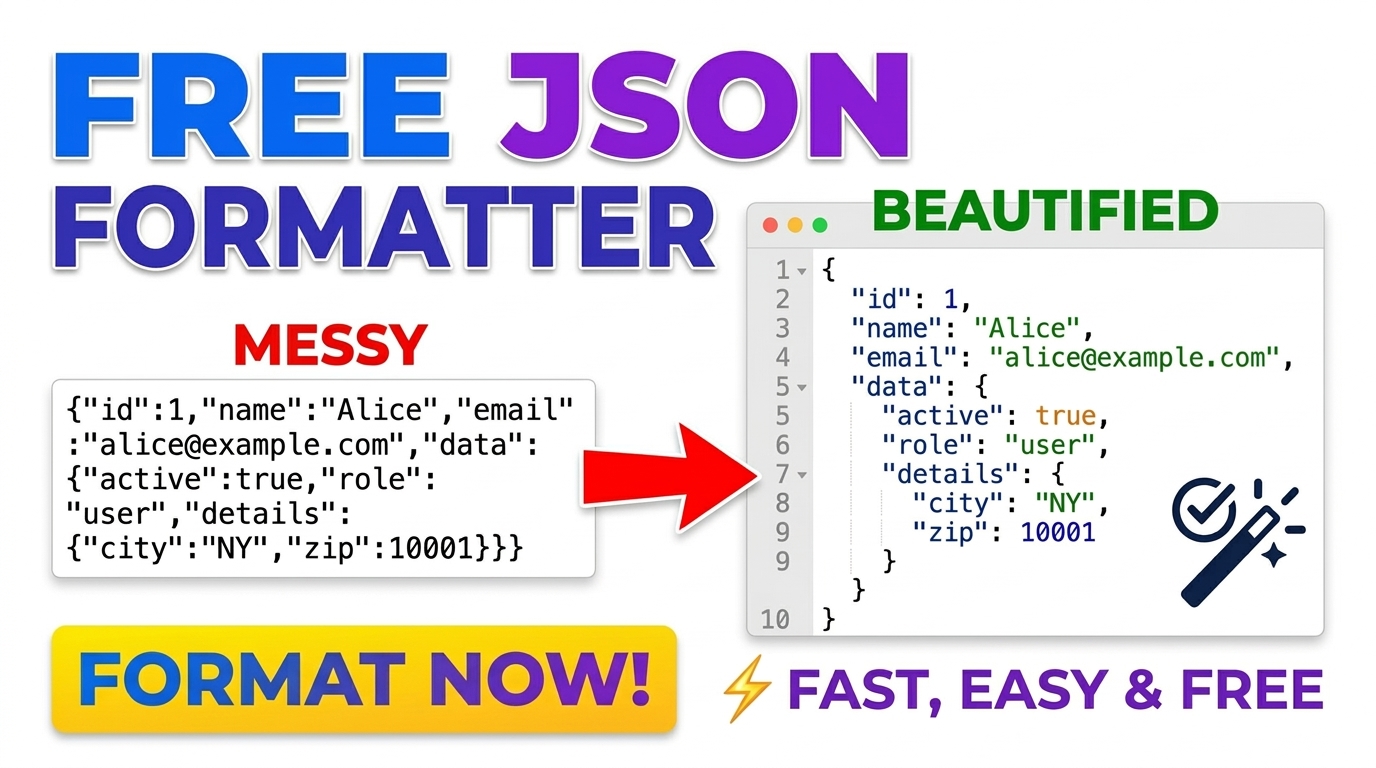
Free JSON Formatter, Validator & Minifier (100% Offline)
Instantly format, validate, and minify JSON code offline. Secure, client-side JSON beautifier with syntax error detection for developers.
Table of Contents
All-in-One JSON Studio
Format, validate, and convert JSON data instantly in your browser.
Paste or Upload Data
Simply paste your raw code into the editor or securely upload a `.json`, `.csv`, or `.xml` file directly from your local drive.
Select Your Operation
Choose from our suite of tools: beautify messy JSON, compress payloads, or seamlessly convert data formats between XML, CSV, and JSON.
Export Instantly
Your processed data appears instantly without any server lag. Use the 1-click copy feature or download the converted file to your device.
In modern web development and data engineering, JSON (JavaScript Object Notation) has become the absolute standard for data interchange. However, raw JSON payloads from REST APIs or database exports are often minified and incredibly difficult for a human to read. Furthermore, a single missing comma can break an entire application. Prime Tool Hub’s All-in-One JSON Studio solves these problems by providing a lightning-fast, secure environment to format, validate, and convert complex data structures entirely offline.
Security First: Dealing with proprietary databases or sensitive customer information? Our tool uses the HTML5 FileReader API to process file uploads directly in your browser’s RAM. Your data is never transmitted to an external server.
🟦 Advanced JSON Formatter & Validator
Finding syntax errors in thousands of lines of code is a developer’s nightmare. Most online parsers require an active internet connection and risk exposing your private data. Our offline JSON Validator instantly checks your syntax using strict browser-native parsing. If an error exists, the system immediately halts and alerts you, preventing broken code from reaching your production environment.
✨ JSON Beautifier & Minifier
Readability is crucial during debugging. Our JSON Beautifier takes unformatted, dense strings and injects standard 4-space indentation, organizing nested arrays and objects into a clean, hierarchical structure. Conversely, when preparing data for deployment, use our JSON Minifier to strip out all unnecessary whitespace. Minified JSON significantly reduces payload size, resulting in faster API response times and reduced bandwidth costs.
🟩 Universal Data Conversion Suite
Developers rarely work with just one data format. Migrating legacy systems or communicating with non-technical departments often requires translating data across different paradigms. We have built three powerful converters directly into this suite:
📊 JSON to CSV Converter
While JSON is perfect for web applications, data analysts and business managers prefer Microsoft Excel. Our JSON to CSV converter flattens complex object arrays into a clean, comma-separated values format. You can easily extract headers and rows from API payloads and download a `.csv` file directly to your local drive for spreadsheet analysis.
📈 CSV to JSON Converter
Need to import a client’s Excel spreadsheet into a modern NoSQL database like MongoDB? Our CSV to JSON tool reverses the process. It intelligently reads your comma-separated text, uses the first row as key headers, and generates a perfectly structured JSON Array of Objects ready for database injection.
⚙️ XML to JSON Parsing
Many legacy enterprise systems and SOAP APIs still rely on XML. Integrating these systems with modern JavaScript frameworks like React or Node.js requires tedious translation. Our built-in XML to JSON parser utilizes native DOMParser techniques to recursively translate XML nodes, attributes, and text into a lightweight, easily accessible JSON object.
🟨 How Does the Offline Engine Work?
Traditional data converters process your files by uploading them via an HTTP POST request to a backend server (like PHP or Python), processing them, and returning the result. This introduces network latency and massive security risks. Our suite leverages modern HTML5 and vanilla JavaScript. Functions like `JSON.parse()` and `JSON.stringify()` are executed strictly by your own CPU. When you use the Upload File feature, the browser reads the file directly from your hard drive into your active memory, completely bypassing the internet.
🟪 Frequently Asked Questions
🟩 Can I upload large JSON or CSV files?
Yes! Because the tool processes data locally in your browser, file size limits are determined by your computer’s RAM rather than a server’s upload limit. It handles standard API responses and medium-sized database exports effortlessly.
🟨 Is it safe to format sensitive API keys and customer data here?
Absolutely. Prime Tool Hub guarantees 100% client-side processing. Your proprietary code and sensitive data strings never leave your device, ensuring total compliance with privacy standards like GDPR.
🟧 Why did my XML to JSON conversion fail?
XML relies on very strict markup. If your XML snippet is missing a closing tag or contains invalid characters, the native DOMParser will throw an error. Ensure your XML is syntactically valid before converting.
Stop risking your data on slow, unsecure server-based tools. Bookmark Prime Tool Hub and experience the speed of the ultimate offline JSON formatting and conversion suite today! Read Full Technical Guide ▼