
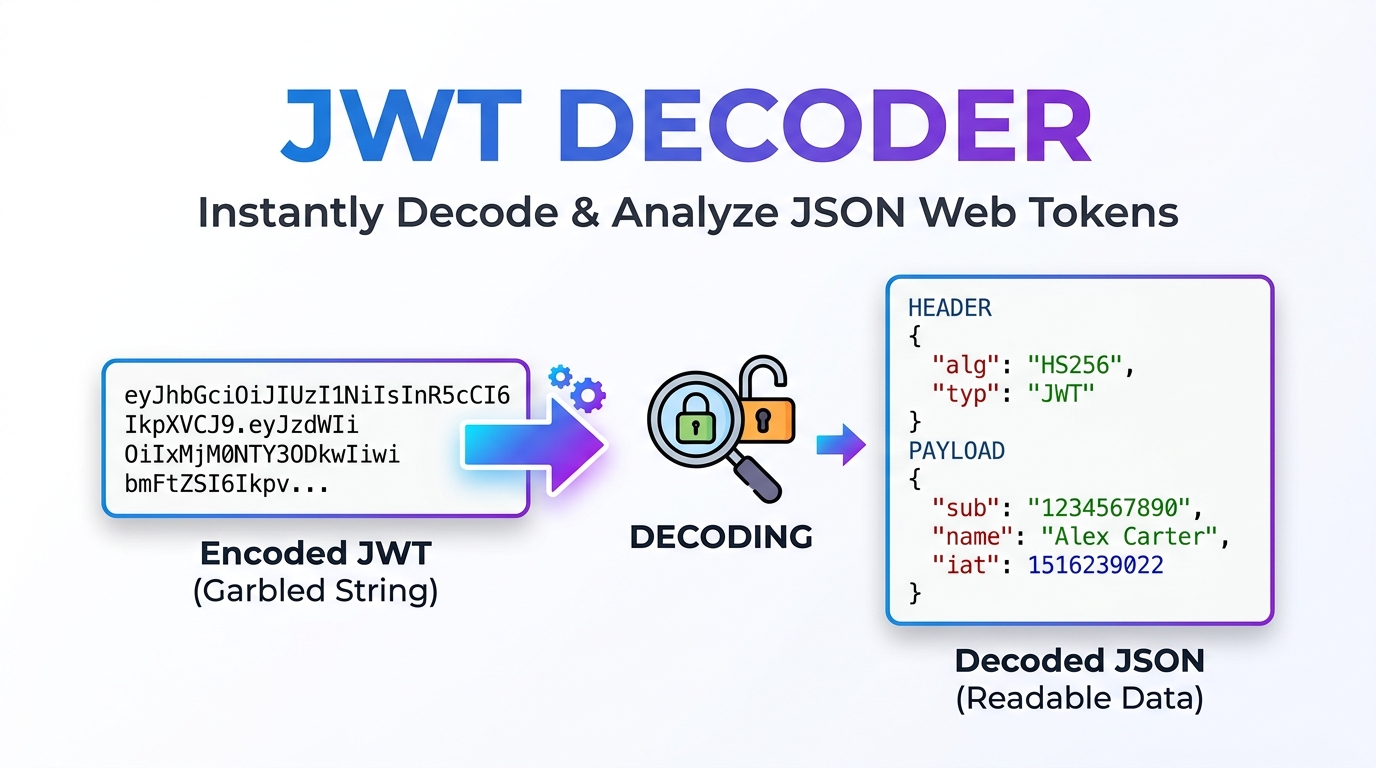
JWT Decoder & Inspector (JSON Web Token)
Securely decode and inspect JSON Web Tokens (JWT) completely offline in your browser. Parse header, payload, and verify expiration dates without server uploads.
Table of Contents
All-in-One JWT Studio
Awaiting input...
Awaiting input...
Awaiting input...
JWT Color Legend
- Header (Red)
- Payload (Purple)
- Signature (Blue)
Standard Claims
exp: Expiration Time
iat: Issued At Time
nbf: Not Before
iss: Issuer
sub: Subject
🔐 Offline HS256 Verification
Safely verify token signatures completely offline using your browser’s native Web Crypto API. Your secret keys never leave your device.
📊 Smart Claims Analyzer
Automatically detect and analyze standard JWT claims like expiration (exp) and issued at (iat), instantly flagging expired tokens.
⏱️ Epoch Time Converter
Includes a built-in Unix timestamp converter to quickly translate abstract JWT time data into your local, human-readable timezone.
HOW TO USE THE JWT STUDIO?
Paste Your Token
Paste your Base64Url encoded JSON Web Token into the main text area. The tool will instantly decode the Header and Payload locally.
Inspect the Data
Review the decoded JSON objects and check the Smart Claims Analyzer to ensure the token is currently active and not expired.
Verify Signature
If using the HS256 algorithm, enter your private secret key into the verification box to mathematically prove the token has not been tampered with.
Read Full Guide: JSON Web Tokens & Security
🔐 Introduction to JSON Web Tokens (JWT)
In modern web development, securing communication between a client and a server is paramount. As monolithic applications transition into microservices and API-driven architectures, traditional session-based authentication has become difficult to scale. Enter the JSON Web Token (JWT). A JWT is an open standard (RFC 7519) that defines a compact and self-contained way for securely transmitting information between parties as a JSON object.
Because this information is digitally signed, it can be verified and trusted. However, debugging these tokens during development can be dangerous if developers paste live production tokens into random online decoders that log data. The All-in-One JWT Studio by Prime Tool Hub solves this exact problem by providing a 100% offline, cryptographically secure environment to decode, inspect, and verify your tokens directly within your browser.
⚙️ The Structure of a JWT Explained
A standard JSON Web Token consists of three distinct parts separated by dots (`.`). When you look at a raw token, it appears as a long string of gibberish, but it is actually structured as `xxxxx.yyyyy.zzzzz`.
🟥 Part 1: The Header
The header typically consists of two parts: the type of the token, which is JWT, and the signing algorithm being used, such as HMAC SHA256 (HS256) or RSA. This JSON object is then `Base64Url` encoded to form the first part of the JWT. In our studio, this section is highlighted in red to help you easily identify the cryptographic parameters.
🟪 Part 2: The Payload (Claims)
The second part of the token is the payload, which contains the claims. Claims are statements about an entity (typically, the user) and additional data. Like the header, the payload is `Base64Url` encoded. It is crucial to understand that decoding is not decrypting. Anyone who intercepts a standard JWT can easily decode the payload and read its contents. Therefore, you should never put highly sensitive information, such as passwords or credit card numbers, inside a JWT payload.
🟦 Part 3: The Signature
To create the signature part, you have to take the encoded header, the encoded payload, a secret key, and the algorithm specified in the header, and sign that data. The signature is used to verify that the message wasn’t changed along the way. If the token was signed with a private key, it can also verify that the sender of the JWT is exactly who it says it is.
🛡️ Why Offline Verification is Critical for Security
Many online JWT decoders send your token—and potentially your secret signing keys—to their backend servers for parsing and verification. This poses a massive security risk, leading to potential data breaches and compromised API endpoints. Our JWT Studio utilizes the native Web Crypto API built into modern web browsers.
When you input your HS256 Secret Key into our verification box, the mathematical hashing process happens entirely on your local CPU. Zero data packets are transmitted over the internet, ensuring your production secrets remain absolutely confidential.
⏱️ Understanding Standard JWT Claims
While you can put custom data into a payload (like a user’s role or email), there are standard Registered Claims defined by the JWT specification that are processed automatically by our Smart Claims Analyzer:
- exp (Expiration Time): Identifies the exact Unix timestamp on or after which the JWT must not be accepted for processing.
- iat (Issued At): Identifies the time at which the JWT was issued. This can be used to determine the age of the token.
- nbf (Not Before): Identifies the time before which the JWT must not be accepted for processing.
- iss (Issuer): Identifies the principal that issued the JWT (e.g., your authentication server).
- sub (Subject): Identifies the principal that is the subject of the JWT (usually the User ID).
❓ Frequently Asked Questions (FAQs)
1. What is the difference between Base64 and Base64Url encoding?
Standard Base64 encoding uses the characters `+` and `/`. However, these characters have special meanings in URLs and can cause errors if passed as a query parameter. Base64Url encoding solves this by replacing `+` with `-` and `/` with `_`, making the token entirely safe to pass via URLs and HTTP headers.
2. Why does my token show as “Expired” but it still works in my app?
If our Smart Claims Analyzer marks the `exp` claim as expired, but your application still accepts it, your backend server is likely failing to properly validate the expiration claim during the authentication middleware process. This is a severe security vulnerability that should be patched immediately.
3. Can I verify RS256 (RSA) tokens with this tool?
Currently, our offline verification feature specifically supports symmetric HS256 (HMAC with SHA-256) signatures. RS256 requires asymmetric public/private key pairs. However, you can still safely decode and inspect the Header and Payload of RS256 tokens using this studio.
🟧 Supercharge Your Development Workflow
Handling authentication and API security requires precision and the right tools. By bookmarking this offline JWT Studio, you ensure that you can safely debug your microservices without compromising your secret keys. For more secure, client-side developer utilities, browse our complete free tools directory at Prime Tool Hub.